Sight-reading homework has a reputation problem. Teachers assign it, part of the class does it, and the rest turns into a pile of missing work and a grading job nobody wants. The fix is not a bigger packet. It is a smaller, more predictable routine: one short reading task each week, at the right level, with retry rules students understand and grading you can finish in one sitting.
This post lays out a weekly sight-reading homework system for choir, band, and orchestra. It works for sight-singing homework and for instrumental reading. Every step shows how it runs in SightReadQuest, but the routine itself also works with paper and a practice log.
The weekly system at a glance
The plan runs in four-week cycles: three practice weeks and one check week. Practice weeks reward doing the work. The check week is a true first read that you grade for skill.
| When | What happens | How it runs in SightReadQuest |
|---|---|---|
| Monday | Post this week's short read at three levels | Generate the exercise, then assign it with a due date |
| Tuesday to Thursday | Students read at home and retry if they want | Live mic grading gives instant feedback on every attempt |
| Friday | The assignment is due | The attempt limit and the attempt that counts are set ahead of time |
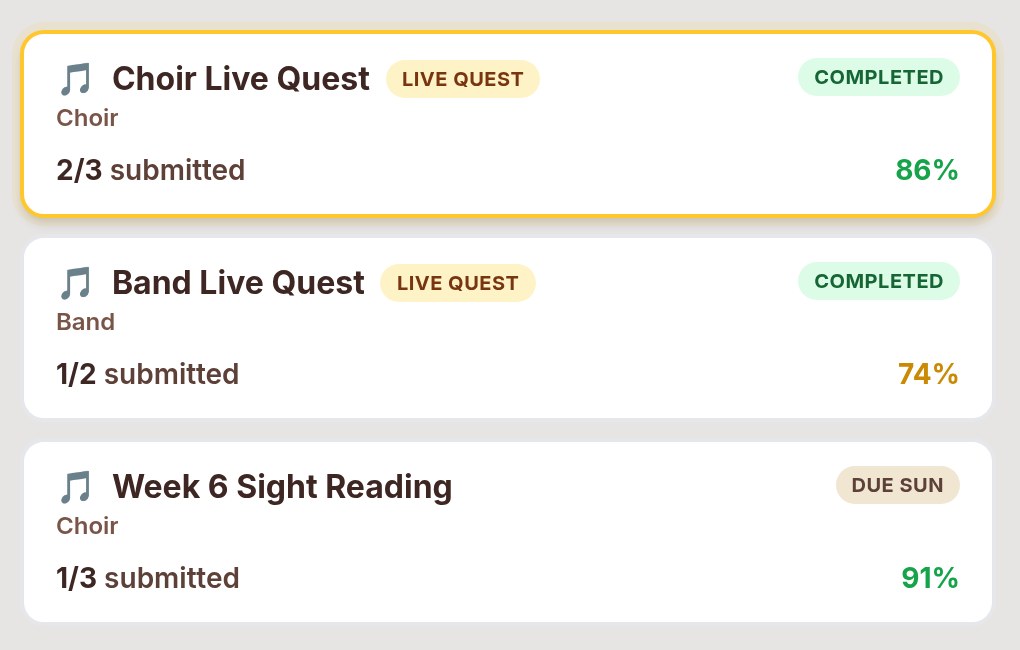
| Next Monday | Two minutes on the measure most students missed | The assignment view shows the problem measure |
Step 1: Level the reading, not the grade
One assignment for the whole class is too hard for some students and too easy for others. Both groups stop doing it. Make three versions of the same task instead: same key and meter, three difficulty levels. Students should not need to know which level anyone else got.
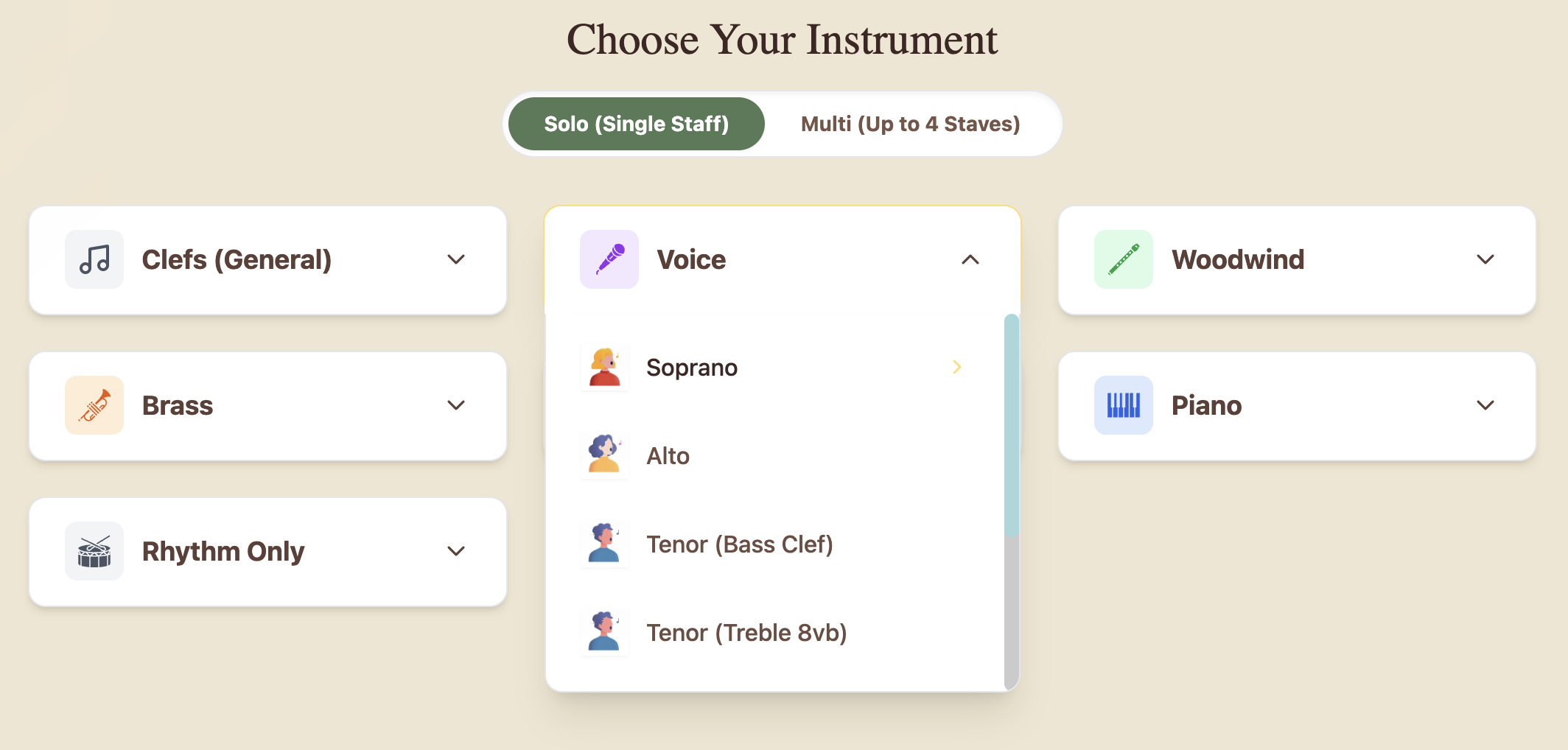
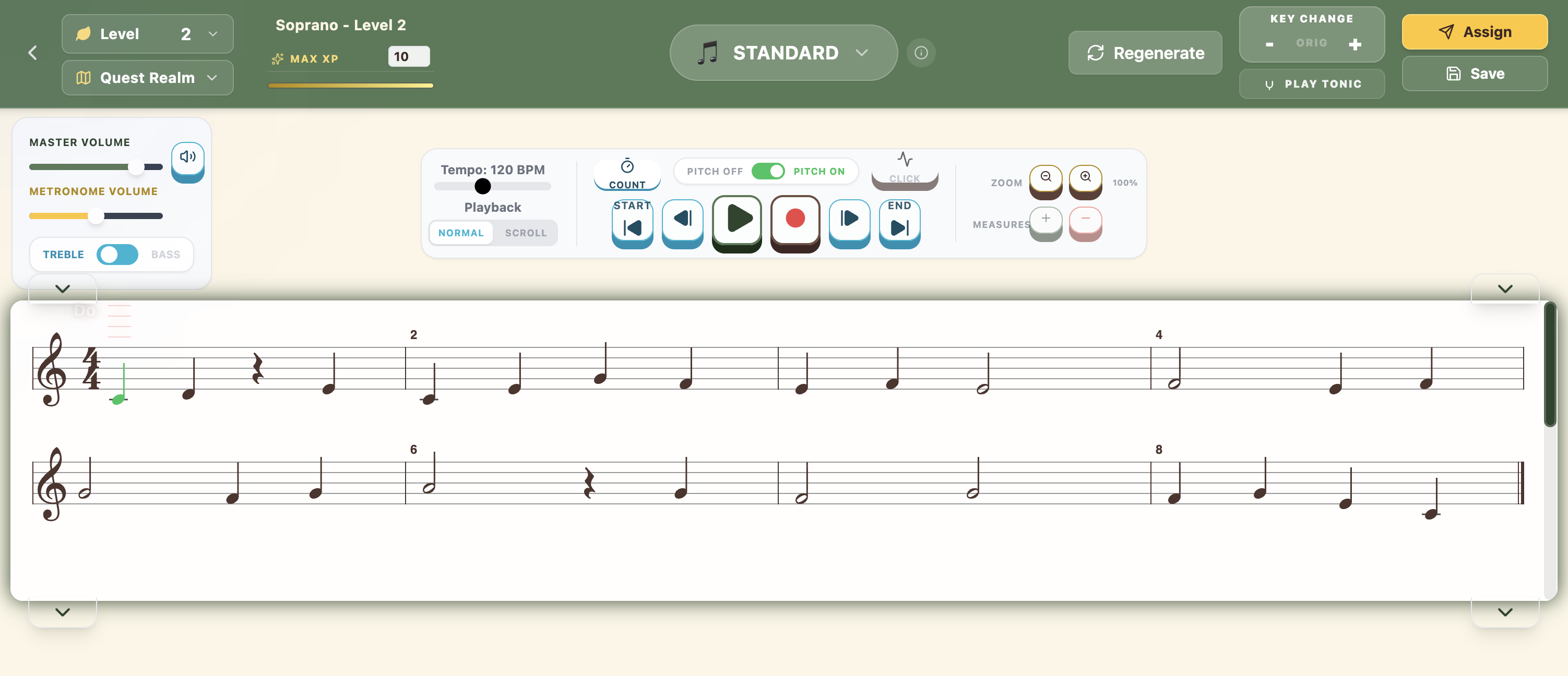
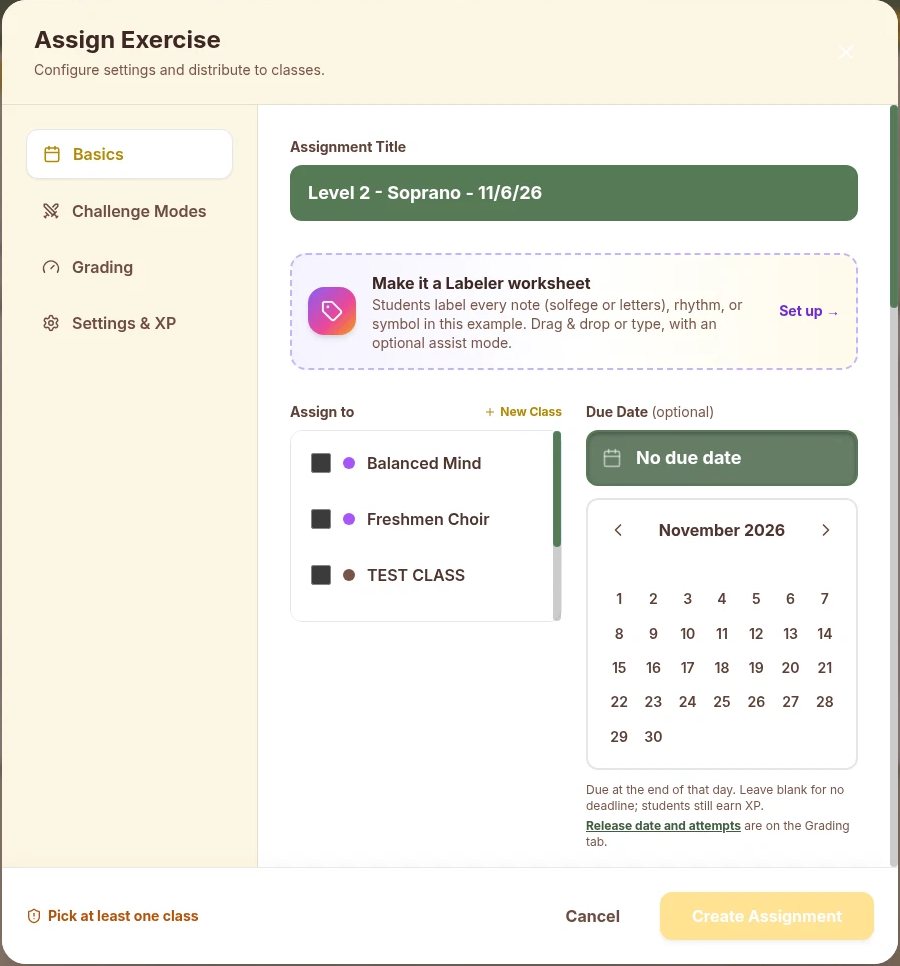
In SightReadQuest, start on the Choose Your Instrument screen and pick the voice or instrument. Then pick a level and press Regenerate until the exercise fits the week's goal. Each part shows in the right clef and key, so a viola gets alto clef and a baritone gets bass clef without extra work from you.
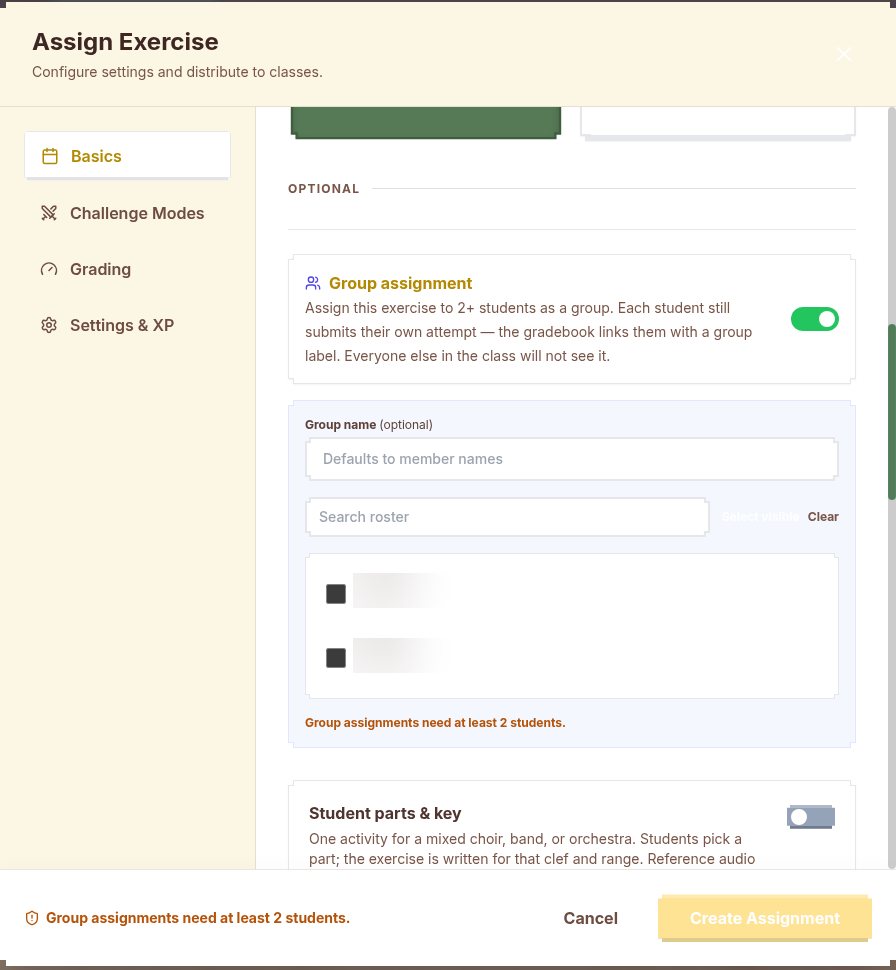
To send each version only to the readers who need it, turn on Group assignment when you assign. It sends an exercise to two or more students, each student still submits their own attempt, and everyone else in the class does not see it.
Step 2: Keep it short, specific, and in the same place
Homework that takes more than ten minutes often does not get started. A good weekly read is four to eight measures and practices one thing: a new key, a rhythm pattern, a clef, or a leap. Tell students which one it is in the assignment title, such as "Week 6: F major, eighth notes."
- Same day, same place. Post on Monday and make it due on Friday. Students see SightReadQuest assignments on their dashboard, and they join your class with a class code, so nobody needs an email address.
- Use the due date and release date. The Due Date is optional and closes at the end of that day. A Release date on the Grading tab hides the assignment until a time you choose, so you can set up Monday's work on Friday afternoon.
- Rotate in rhythm weeks. Choose Rhythm Only, then Rhythm Practice, and students clap into the mic or tap the spacebar or the TAP pad on tablets. No instrument is needed, which helps on weeks when instruments stay at school.
Step 3: Set retry rules students can explain back to you
Retry rules are where most homework systems get confusing. Students should be able to tell you the rule in one sentence. Here is a simple pair.
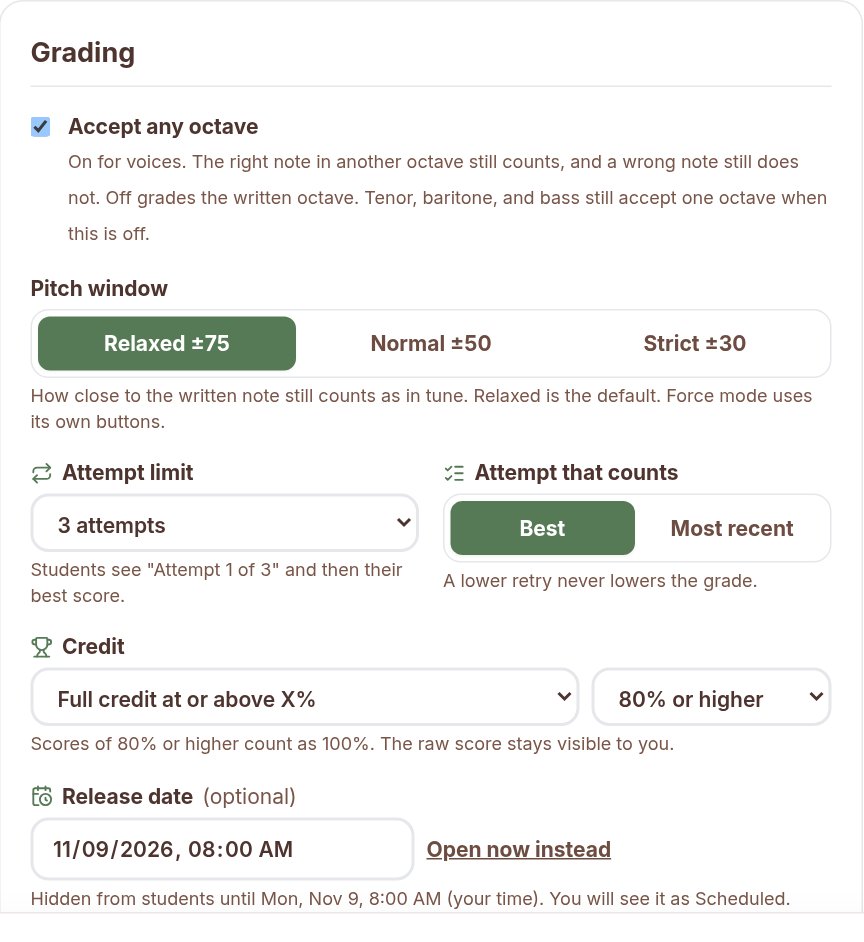
- Practice weeks: up to three attempts, and your best one counts. Retries are practice, and a lower retry never hurts you.
- Check weeks: one attempt, no model to listen to first. Read it like you would at festival.
In SightReadQuest these rules live on the Grading tab. The Attempt limit offers 1, 2, 3, or 5 attempts, or Unlimited. With a limit, students see "Attempt 1 of 3." Attempt that counts is Best or Most recent. With Best, a lower retry never lowers the grade. With Most recent, each new attempt replaces the grade.
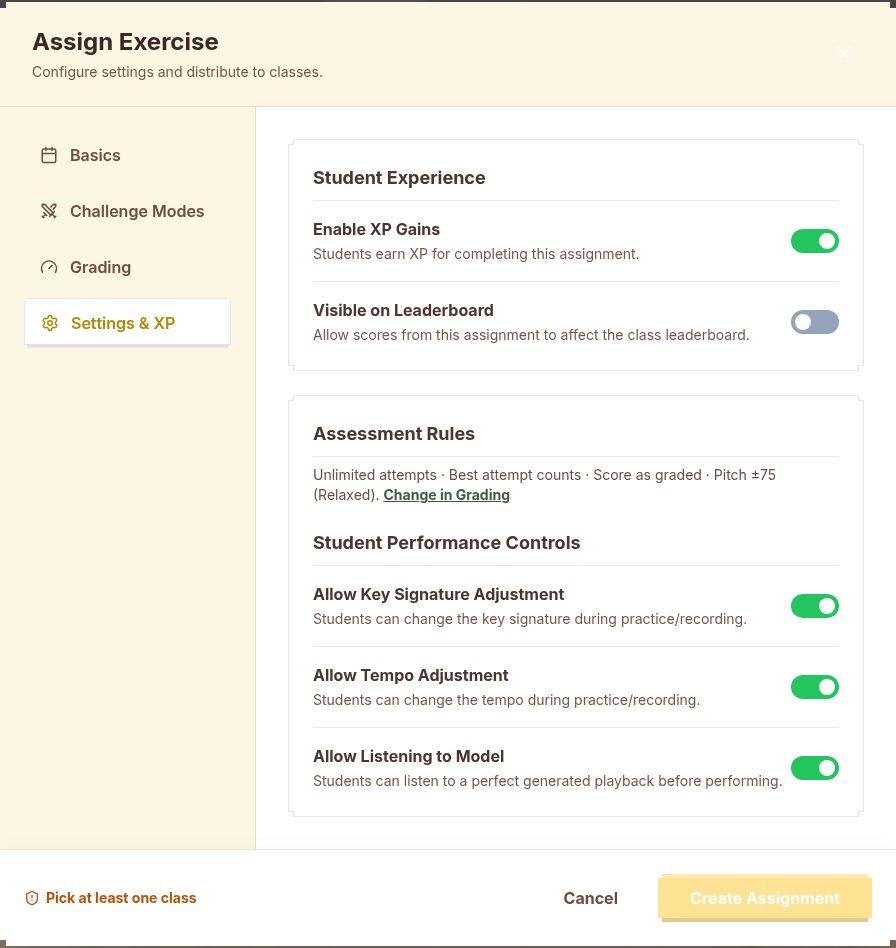
Two more settings matter for a true sight-read. Assessment Mode sends one-shot recordings directly to your gradebook, while Practice Mode gives instant feedback and retries. Under Settings, Allow Listening to Model lets students hear a perfect generated playback before they perform. Leave it off when you want the first attempt to be a real first read.
Step 4: Let live mic grading do the first pass
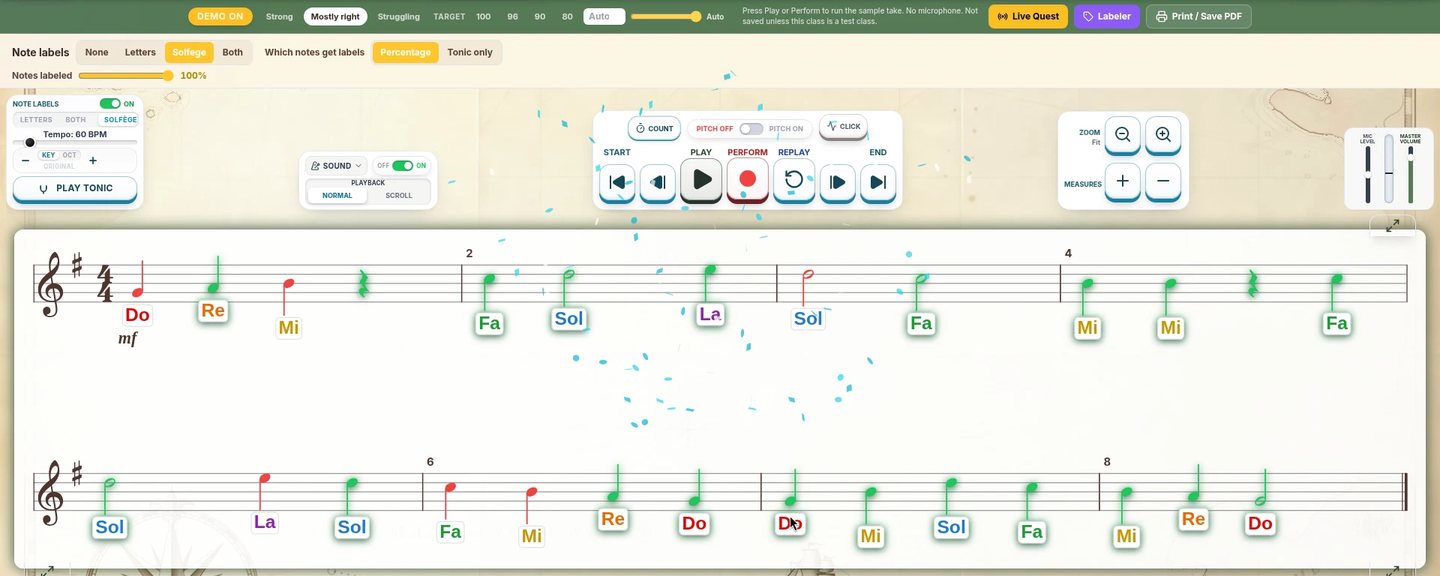
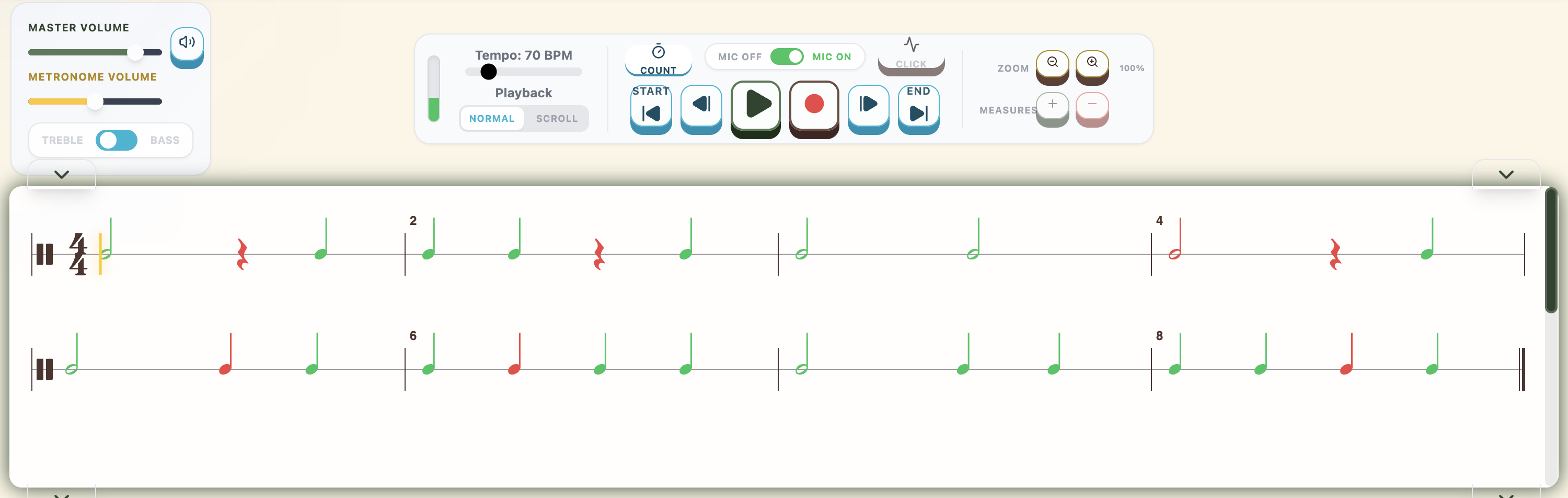
The slow part of sight-reading homework has always been listening to every take. Let the app take the first pass. With SightReadQuest, students sing or play the exercise into the microphone on their own device, and live mic grading marks right and wrong on the staff as they go. After each take they see their accuracy, can listen back to the recording, and can retry if the assignment allows it.
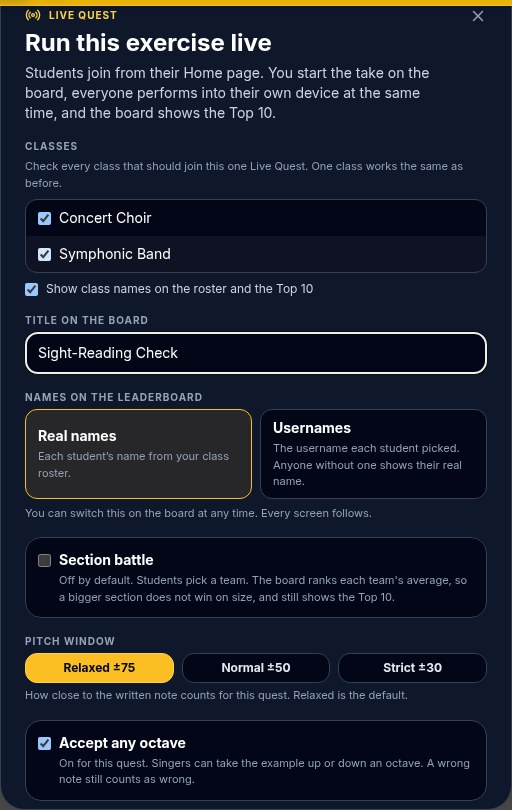
You decide how strict that first pass is. The Pitch window is Relaxed (plus or minus 75 cents, the default), Normal (50), or Strict (30). Accept any octave is on for voices, so a note sung in another octave still counts and a wrong note still does not. For rhythm assignments, Timing tolerance is Strict (within 120 milliseconds), Classroom (within 250), or Generous (within 400), and extra taps during rests cost points.
The mic checks pitch and rhythm. It does not judge steady pulse or how a student recovers from a mistake, so keep those for your own ears on check weeks.
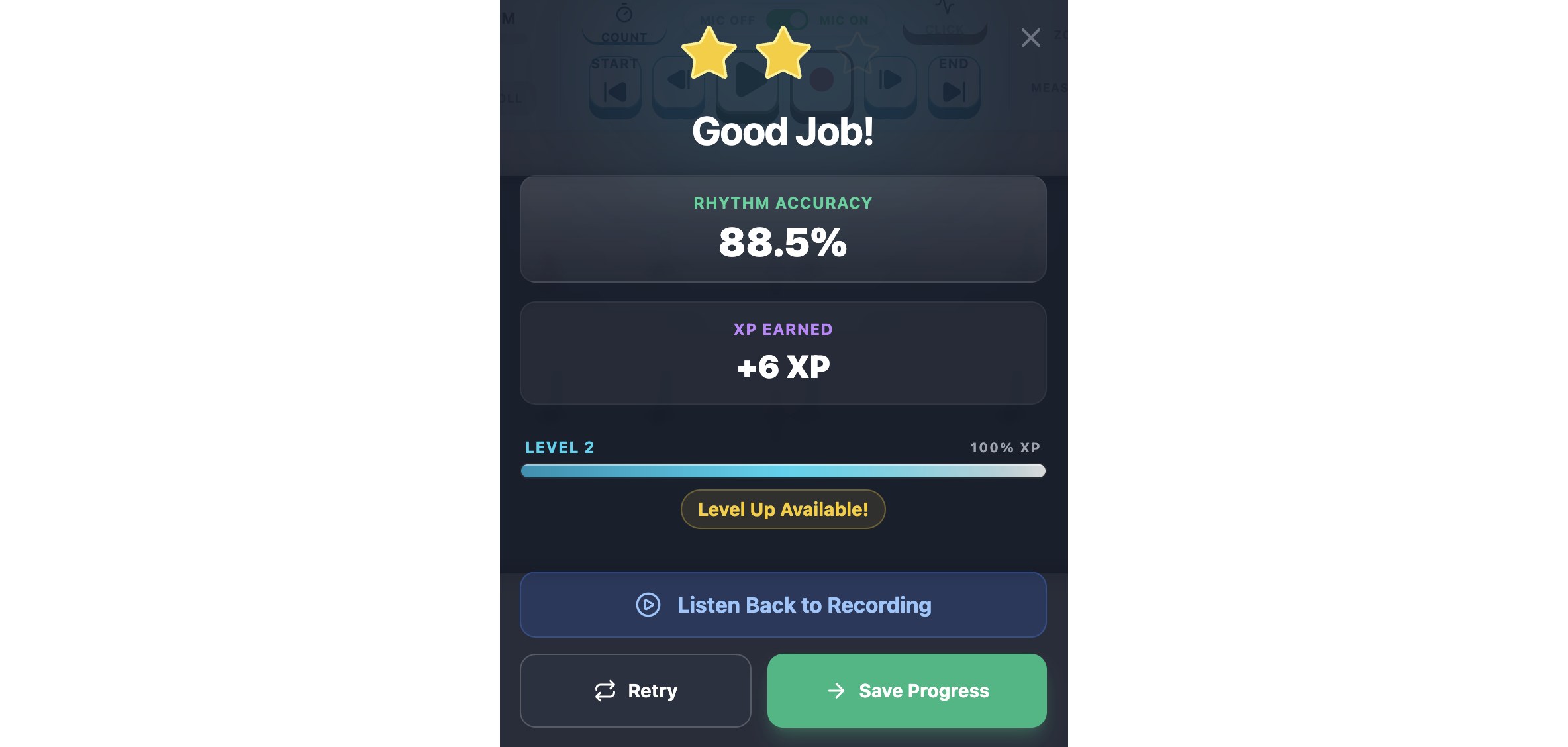
Step 5: Grade the habit first, then the skill
If practice-week homework is graded only on accuracy, struggling readers learn that trying does not pay. Grade the habit on practice weeks and the skill on check weeks.
SightReadQuest's Credit setting has three choices. Score as graded puts the app's score in the gradebook. Full credit after N attempts gives 100 percent to students who submit that many attempts (1, 2, 3, or 5). Full credit at or above X percent counts a score of 60, 70, 80, or 90 percent or higher as 100 percent. In both credit modes the raw score stays visible to you, so you still see who needs help. You can also enter your own grade, which shows as a teacher grade.
For check weeks, use Score as graded, or score the read yourself with the four-part rubric in my guide on how to assess sight reading in rehearsal. Pitch and rhythm come from the app. Steady pulse and recovery come from listening back.
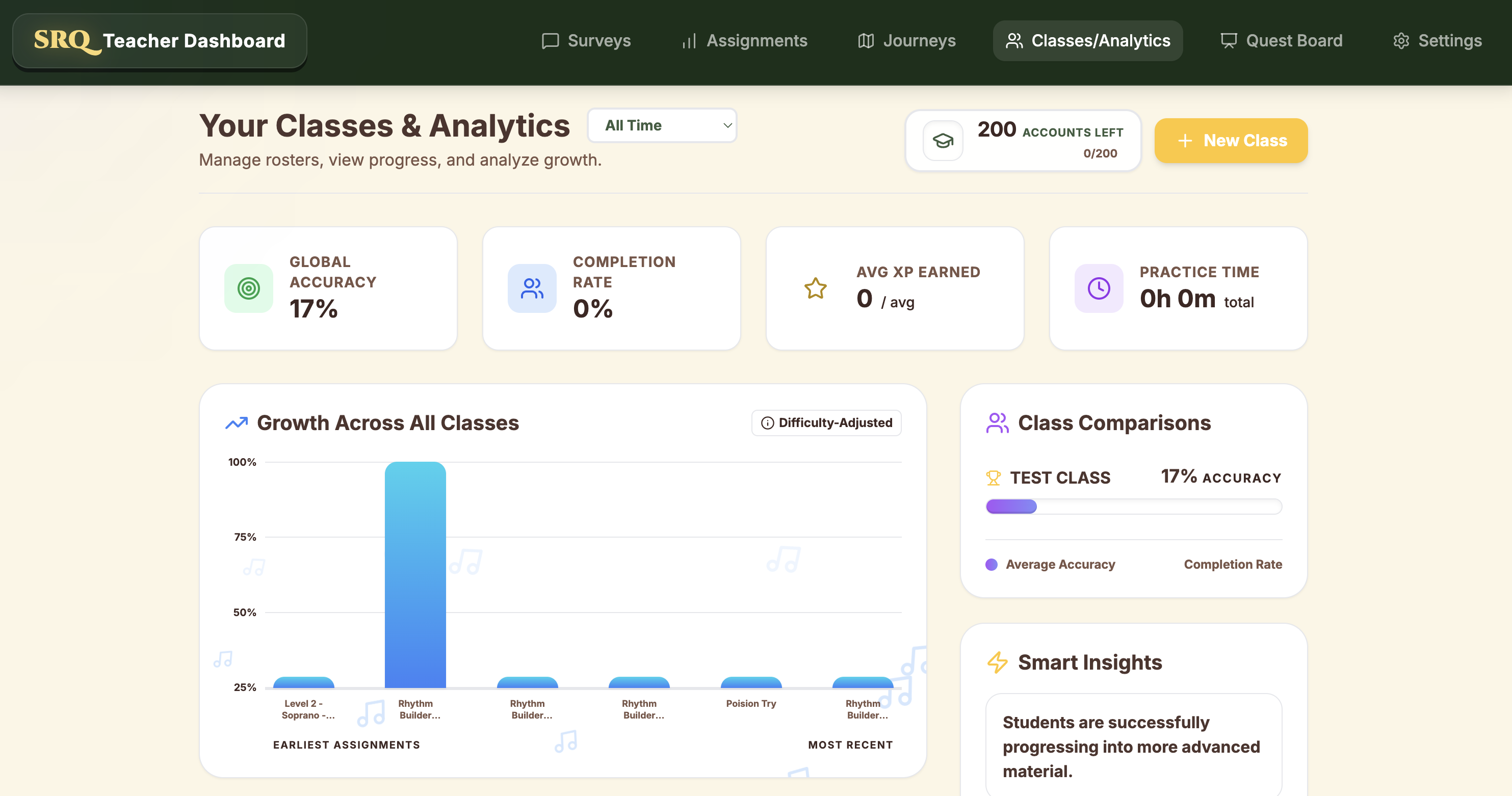
Step 6: Check the gradebook in one sitting
Open the assignment once, after it closes, and work through it in the same order every week:
- Who did not submit. The assignment view has cards for Not Submitted, Below 65% Score, and Missing Audio, so the follow-up list builds itself.
- Where the class broke down. The problem measure is the spot with the most mistakes per submission across the class. That is your Monday warm-up.
- Two or three recordings. Listen back to a few takes, especially from students whose score surprised you. A score tells you what happened. The recording tells you why.
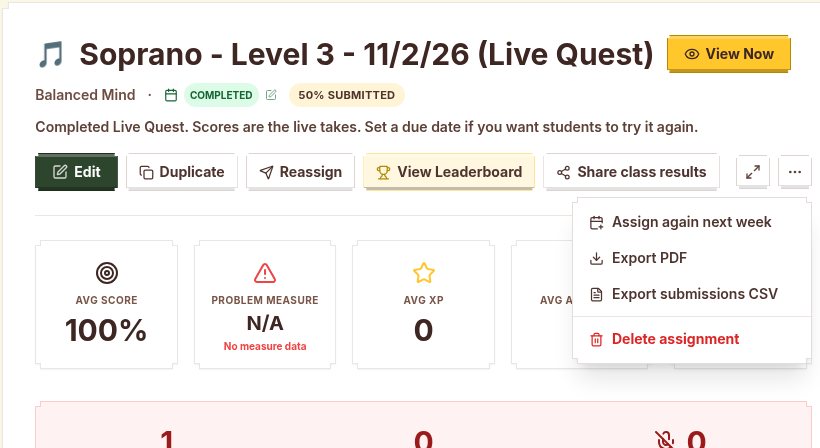
- Export if you need to. The assignment menu has Export submissions CSV, and Export Grades downloads a CSV of scores for your district gradebook.
You can also filter submissions by voice part or section, which helps when the altos and tenors had different versions of the same task.
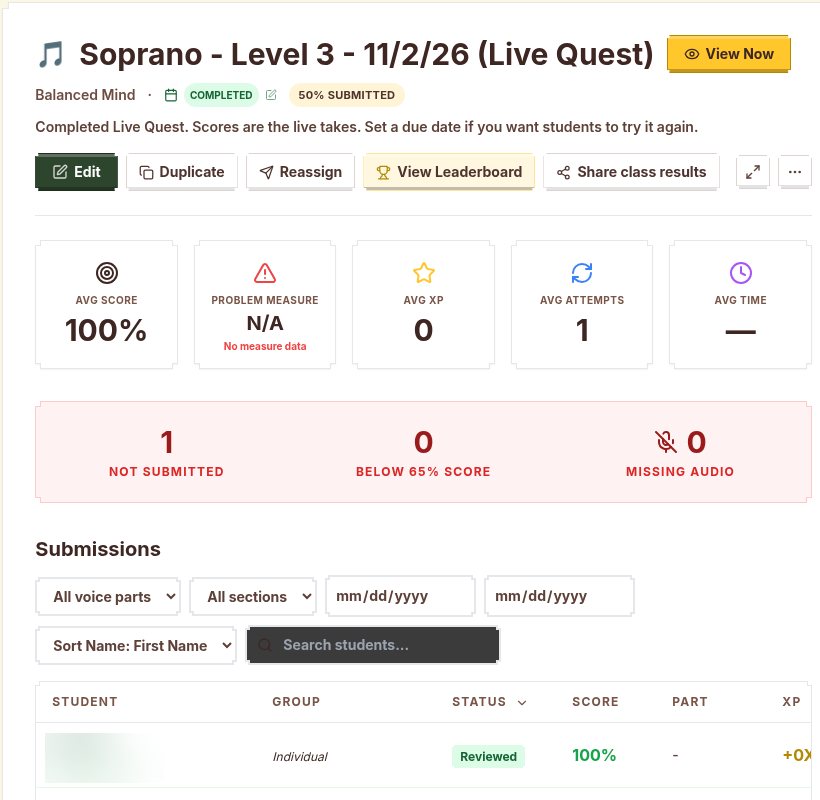
Step 7: Close the loop in Monday's warm-up
Homework sticks when students see it come back in class. On Monday, put the problem measure on the board and read it together for two minutes. Name what went wrong, fix it, and move on to rehearsal.
Then set up the next week. For a new first read, press Regenerate and assign the new exercise. If the class needs a second pass at the same music, Assign again next week in the assignment menu copies it with a due date one week later. When you want the whole room reading the same exercise at once, Live Quest runs an exercise live: students join from their home page, everyone performs into their own device at the same time, and the board shows the Top 10. A Live Quest can be saved to the gradebook too.
When students cannot practice at home
Not every student can take an instrument home or find a quiet room. Build options into the normal assignment so nobody has to ask for an exception.
- Rhythm weeks need no instrument. Rhythm Practice exercises are clapped or tapped, so a phone, tablet, or school laptop is enough.
- Instrumentalists can sing. Singing a part on a neutral syllable trains the eye and ear together, even on a week the horn stays at school.
- Singers can find the starting pitch. The free SightReadQuest Music Tools page includes a Pitch Pipe and a Metronome that open without a login.
- Offer school time. A few minutes before school, at lunch, or in a study hall covers students who have no device or space at home.
For concert music instead of sight-reading, a Recorded Assignment is a separate tool: students record themselves playing their part, pick their best take, and submit it. Keep that apart from weekly reading so the reading stays a first read.
A four-week starting plan
- Week 1, practice: one Level 1 or 2 read in your concert key. Up to three attempts, Best counts, full credit after two attempts.
- Week 2, practice: same key, one new rhythm. Same rules. Use the problem measure from week 1 as Monday's warm-up.
- Week 3, practice: a rhythm week in Rhythm Practice, clapped or tapped, with Classroom timing.
- Week 4, check: one attempt, Assessment Mode, Allow Listening to Model off, Score as graded. Score steady pulse and recovery yourself from the recordings.
After the first cycle, move each group up a level only when most of its readers are scoring well on check weeks. For the in-class side of the routine, pair this with the five-minute daily routine for choir, band, or orchestra. If rhythm keeps breaking down, start with choosing a rhythm counting system. For ideas on targeted practice after a weak check, see the guide to improving sight-reading.
SightReadQuest uses a Teacher License, $15 a month or $99 a year, and student accounts are added separately. The pricing page lays it out. If you want to try this routine with one class first, start the free 10-day trial.
Use the ensemble pages if you want the classroom setup first: sight-singing app for choir, sight-reading app for band, and sight-reading app for orchestra.
Frequently Asked Questions
How long should sight-reading homework take?
About five to ten minutes. A short read of four to eight measures that practices one skill gets done far more often than a long packet, especially when students are reading alone.
Should sight-reading homework be graded for accuracy?
Not every week. Grade completion or effort on practice weeks, for example full credit after two attempts, and grade accuracy on a check week every three or four weeks. Keep the raw scores so you can still see who needs help.
How many retries should students get on sight-reading homework?
On practice weeks, two or three attempts with the best one counting works well, because retries are practice and a lower retry never hurts. On check weeks, give one attempt with no model playback so it stays a true first read.
Can students do sight-singing homework without a piano at home?
Yes. Students sing into the microphone on a phone, tablet, or laptop and SightReadQuest grades the pitch and rhythm. A free online pitch pipe, like the one on the SightReadQuest Music Tools page, gives them a starting pitch.