7 Reasons to Try SightReadQuest for Choir Sight-Singing
Give singers a short, focused reading task. Choose the voice part, use solfege when it helps, and listen for what each singer can do without the section carrying them.
10-day trial · No card · 100 trial student accounts
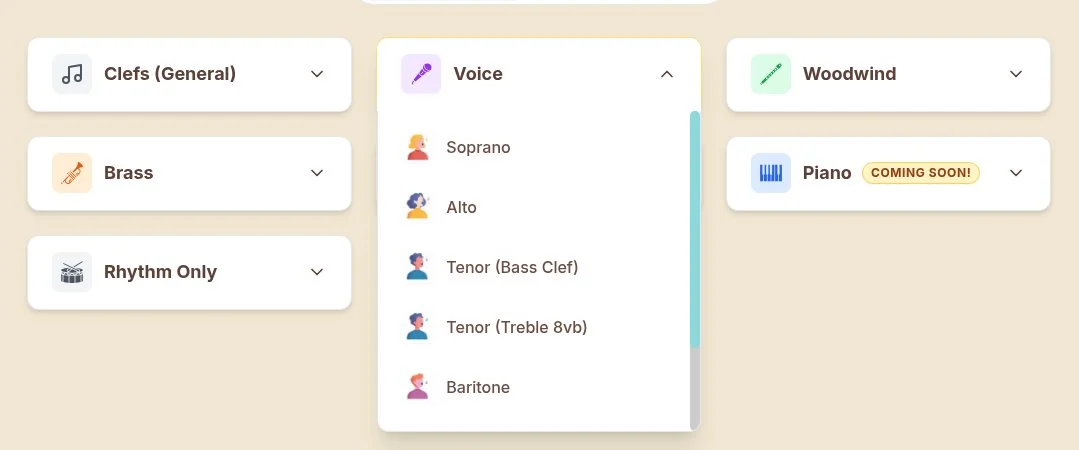
Choose the voice part before the exercise: Start in the voice-part picker rather than handing every singer the same setup. The menu includes Soprano, Alto and tenor options, among others. Match the choice to the singers and the reading task.
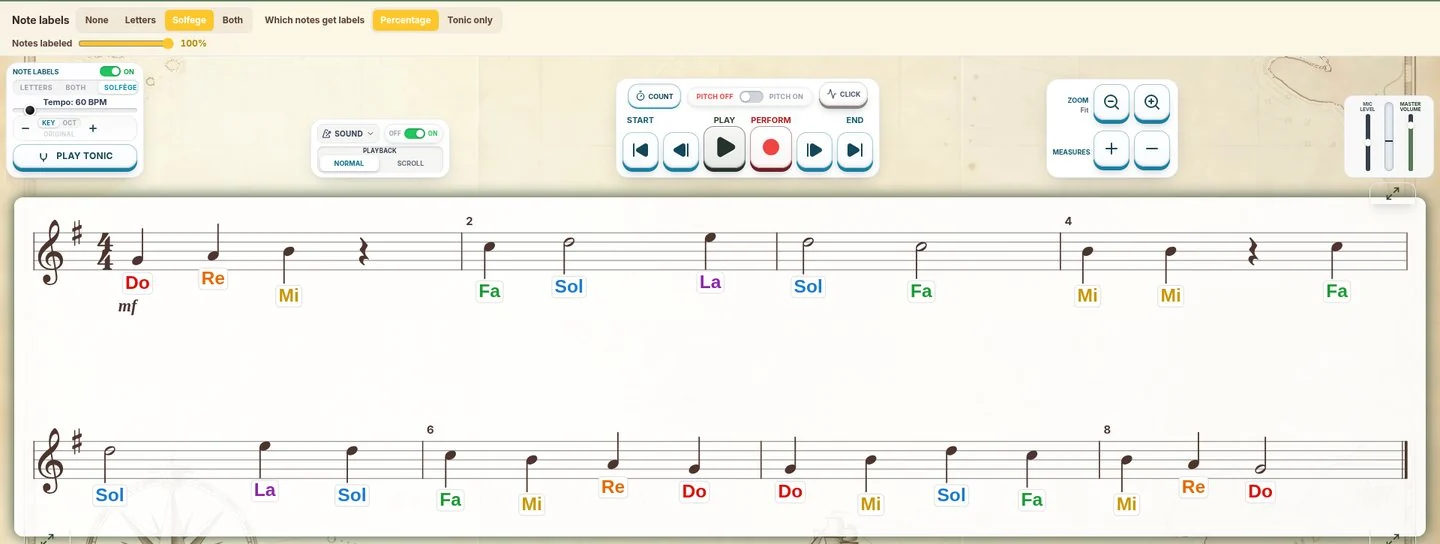
Make solfege part of the reading routine: Turn on solfege labels for a supported pass through the notes. Adjust that support as the group is ready. The task can stay short and focused on reading, not on copying syllables into a score.
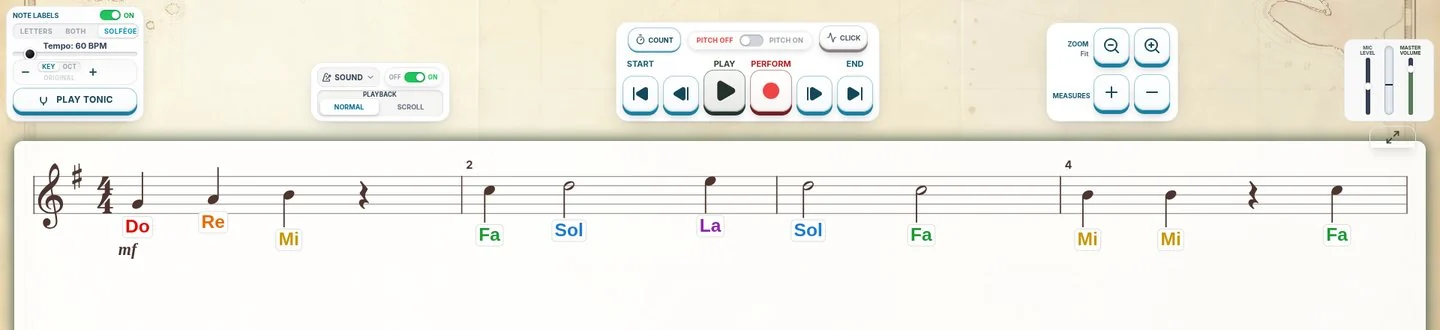
Establish the key and pulse before singing: Use Play Tonic and the tempo controls before the first attempt. Give singers a starting sound and a steady count, then ask them to read. Those tools stay on the same screen as the exercise.
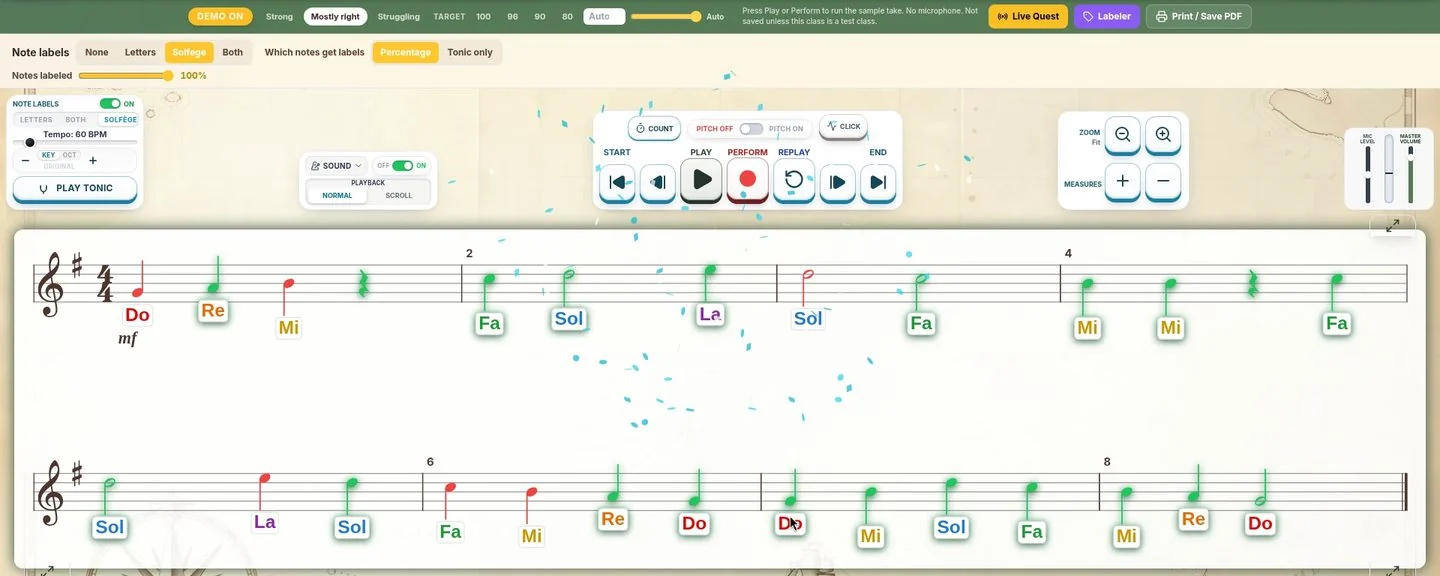
Hear the individual, not only the section: Assign a short round for singers to perform into the microphone. Live feedback, scores and recordings let you review the individual attempt. The pictured colored staff is a demo display, not a real singer’s score.
Turn a quick look into a memory task: Flash Mode asks singers to notice the notes before they disappear. Memory Mode adds a study-and-recall option. Use either as a change of task, not a promise that one round will fix sight-singing.
Bring dictation into the same routine: In Echo Notate, singers hear a phrase and write it back. Audiate Attack offers another listening and recall challenge. These are useful ways to connect aural work with what students read on the staff.
Make the next reading check easy to find: Send the round to the class from the assignment dialog. Singers join with a class code and no student email. Review the scores and recordings in your dashboard when you plan the next check.
For middle school and high school choir
Give singers a short, focused reading task. Choose the voice part, use solfege when it helps, and listen for what each singer can do without the section carrying them.
10-day trial · No card · 100 trial student accounts
Singers and players
Live mic feedback
Class codes, no student emails
A reading task with a clear purpose.
A choir can sound secure while some singers are still following their neighbors. Start with one part and one short task, then use the result to choose what to teach next.
REASON 01 Choose the voice part before the exercise
Start in the voice-part picker rather than handing every singer the same setup. The menu includes Soprano, Alto and tenor options, among others. Match the choice to the singers and the reading task.
Real voice-part menu. Soprano teacher example, captured November 6, 2026. This is not an instrument-parts screenshot.
REASON 02 Make solfege part of the reading routine
Turn on solfege labels for a supported pass through the notes. Adjust that support as the group is ready. The task can stay short and focused on reading, not on copying syllables into a score.
Real generated Soprano Level 2 exercise with solfege labels on.
REASON 03 Establish the key and pulse before singing
Use Play Tonic and the tempo controls before the first attempt. Give singers a starting sound and a steady count, then ask them to read. Those tools stay on the same screen as the exercise.
Real teacher controls: Play Tonic, tempo and Count/Click above the staff.
REASON 04 Hear the individual, not only the section
Assign a short round for singers to perform into the microphone. Live feedback, scores and recordings let you review the individual attempt. The pictured colored staff is a demo display, not a real singer’s score.
Choir example: Soprano exercise with a built-in demo performance, not a student take or microphone recording. Colored notes illustrate the feedback display.
REASON 05 Turn a quick look into a memory task
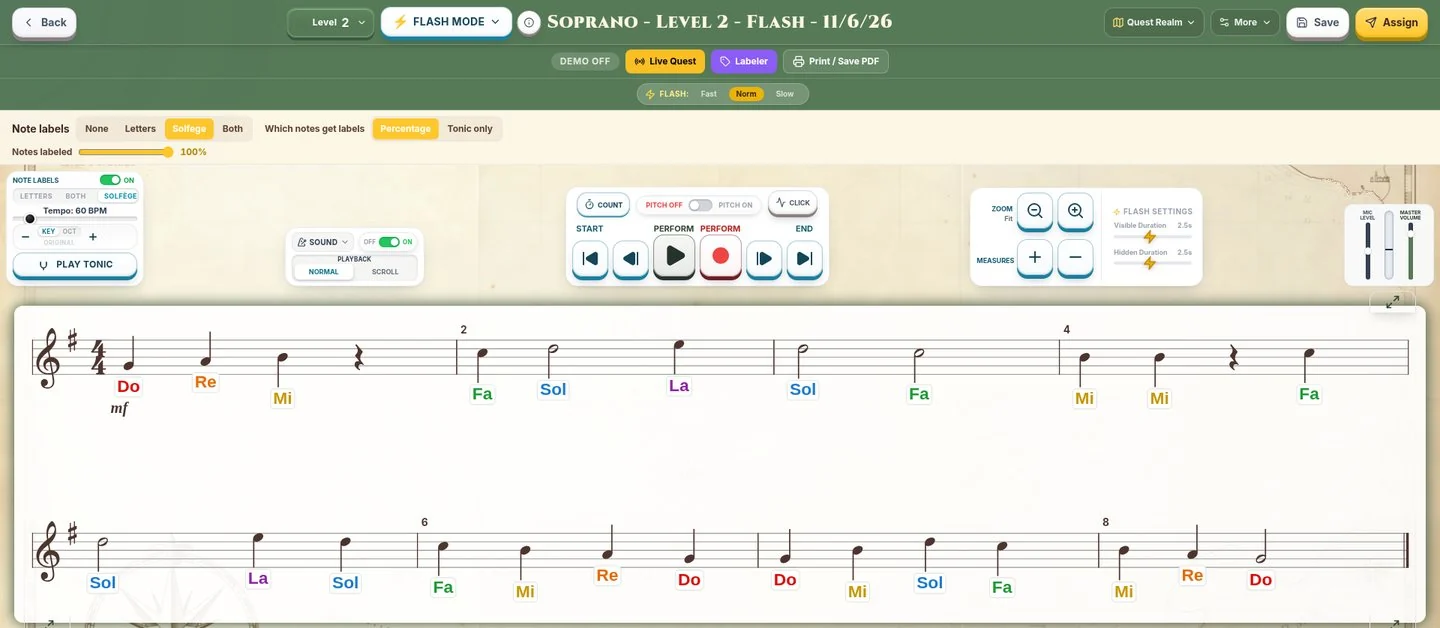
Flash Mode asks singers to notice the notes before they disappear. Memory Mode adds a study-and-recall option. Use either as a change of task, not a promise that one round will fix sight-singing.
Choir example: real Flash Mode controls in the Soprano teacher edit view. The staff is still visible here.
REASON 06 Bring dictation into the same routine
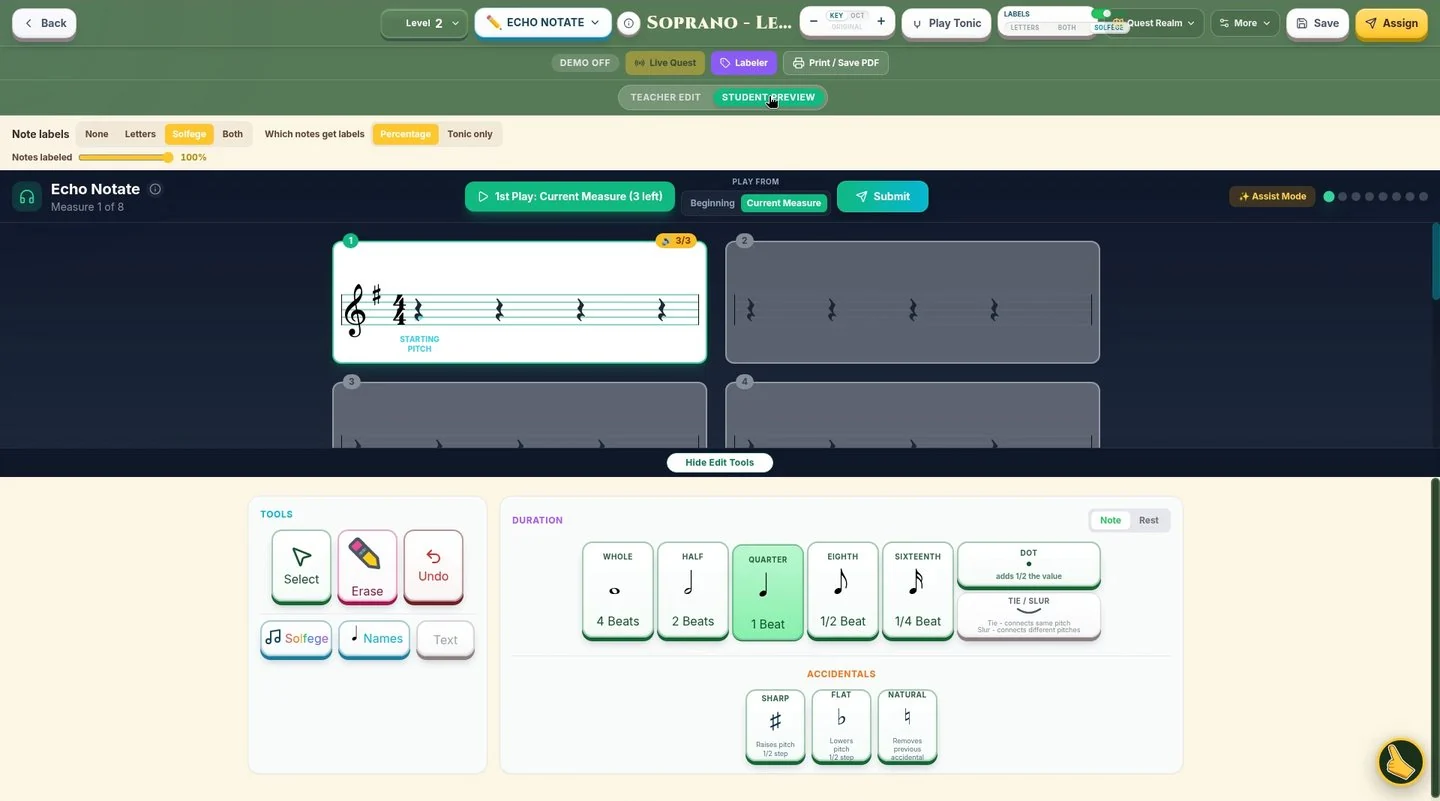
In Echo Notate, singers hear a phrase and write it back. Audiate Attack offers another listening and recall challenge. These are useful ways to connect aural work with what students read on the staff.
Choir sample: real Echo Notate student preview. Hear a measure, then write it on the staff.
REASON 07 Make the next reading check easy to find
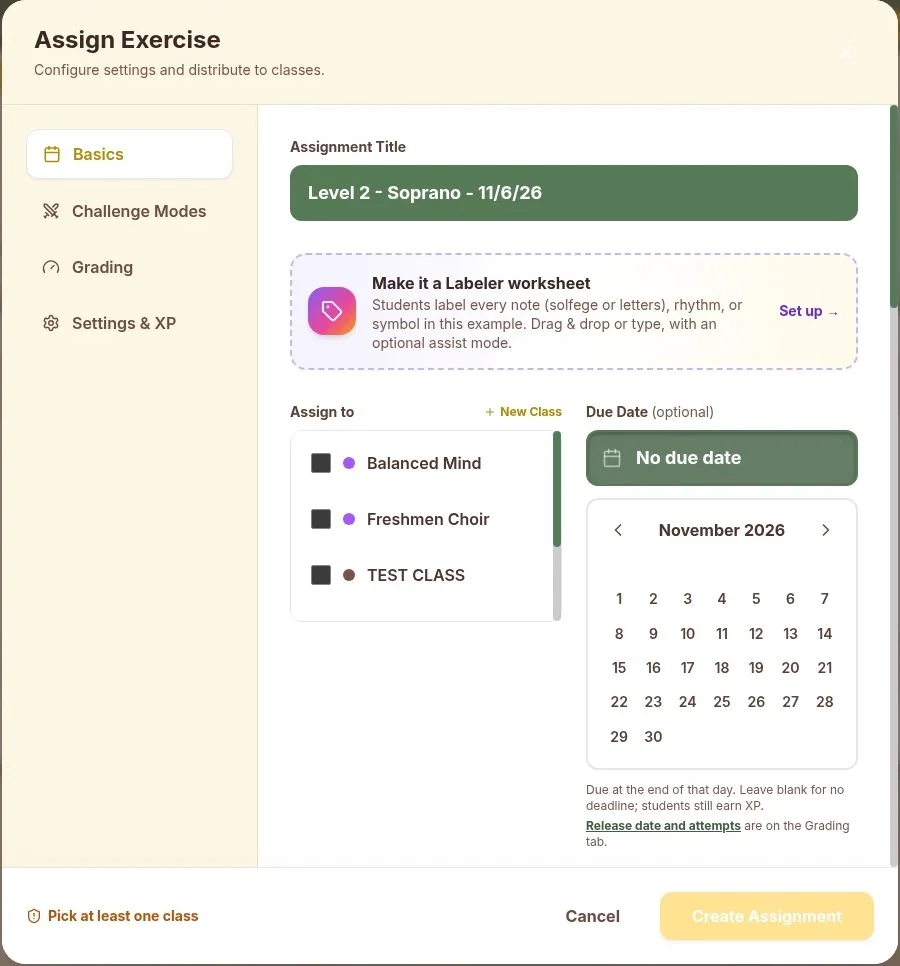
Send the round to the class from the assignment dialog. Singers join with a class code and no student email. Review the scores and recordings in your dashboard when you plan the next check.
Choir example: real Assign Exercise dialog for a Soprano exercise. It was cancelled; nothing was assigned. Class names are teacher-created examples, not student names.
Pick the Teacher License. Add seats when you need them.
A Teacher License is your account. Student Accounts are separate annual packs. No student seats are included in a paid Teacher License.
Monthly and Yearly Teacher Licenses and card-purchased student packs renew until cancelled. For multiple teachers, more than 300 students or a school purchase order, request an emailed quote from the pricing page.
Standard prices checked November 7, 2026 (ET). No promotional code or discount is assumed.
Monthly Teacher License: $15/month. Billed monthly. Student Accounts sold separately.
Yearly Teacher License: $99/year. Billed yearly. Student Accounts sold separately.
50 Student Accounts: $199/year
100 Student Accounts: $299/year
150 Student Accounts: $399/year
200 Student Accounts: $499/year
300 Student Accounts: $699/year
Questions before you start
Does my Teacher License include students? No. Paid Teacher Licenses cover the teacher tools. Student Accounts are separate annual packs. The free 10-day trial includes 100 student accounts.
Do students need an email address? No. Students join with a class code and do not need a student email address.
Can I try it before buying? Yes. The free trial lasts 10 days, includes a teacher account and 100 student accounts, and does not require a credit card.
Can students sing or play? Yes. SightReadQuest supports choir, band and orchestra parts. Choose the part and level for the reading task. Test your school microphone and device setup during the trial.
What happens when I cancel? Monthly and Yearly Teacher Licenses and student packs renew until cancelled. Cancel in Account Settings or email support. Cancellation stops future renewals and takes effect at the end of the current billing period.
Can my school pay with a purchase order? Yes. Use the school quote option on the pricing page. Quotes and purchase-order help are handled by email.
Try one short round with your students.
Choose a part and level, check your school setup, then decide if it fits your classroom.