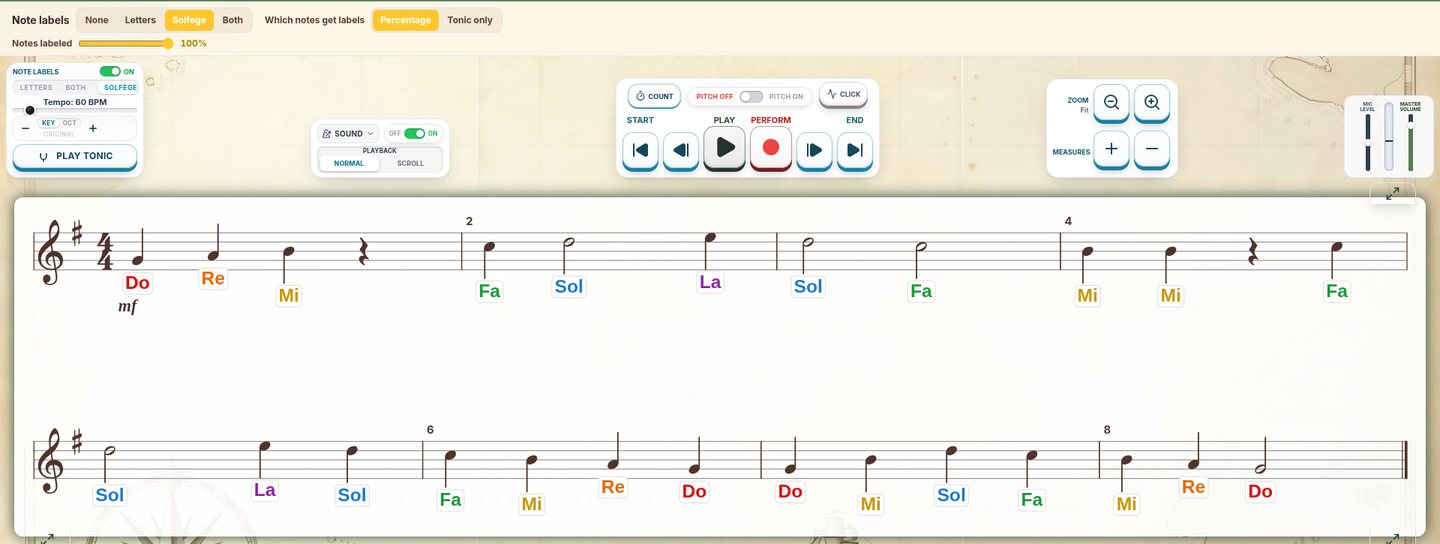
There is no single best sight singing app for every middle school choir. Shortlist SightReadQuest for generated reading and named listening modes, Sight Reading Factory for customizable generated music and auto assessment, EarMaster for sight-singing alongside broader ear training, and Sight Singing Pro for individual voice feedback. Choose by the task, voice range, feedback, school devices, and assignment workflow you need.
A shortlist, not a claim that one app wins every classroom
This article is published by SightReadQuest, which appears in the shortlist. It is not an independent ranking, and we have not run a controlled comparison of student outcomes. Competitor descriptions below come from each provider's own public pages, checked November 9, 2026 ET. All screenshots are SightReadQuest screens, not pictures of the other apps.
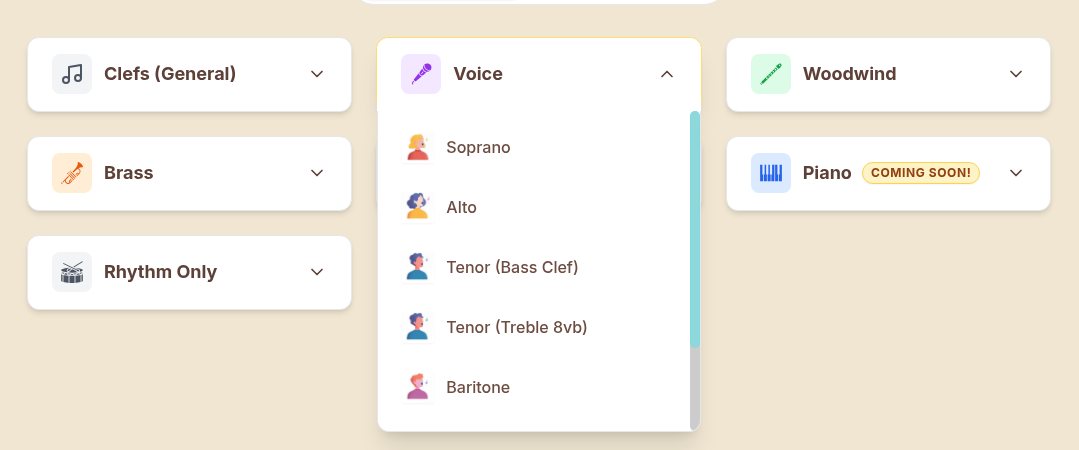
Start with the choir in front of you. Check the written clef, starting pitch, comfortable range, and the rhythms students can read independently. In SightReadQuest, the voice-part menu is a starting point for choosing a part. It does not replace your judgment about changing voices.
This is a software-choice guide. For the daily teaching sequence, see how to teach sight-singing in middle school choir. The software should support that sequence, not decide when your singers are ready for harmony.
SightReadQuest: explore it for reading plus listening tasks
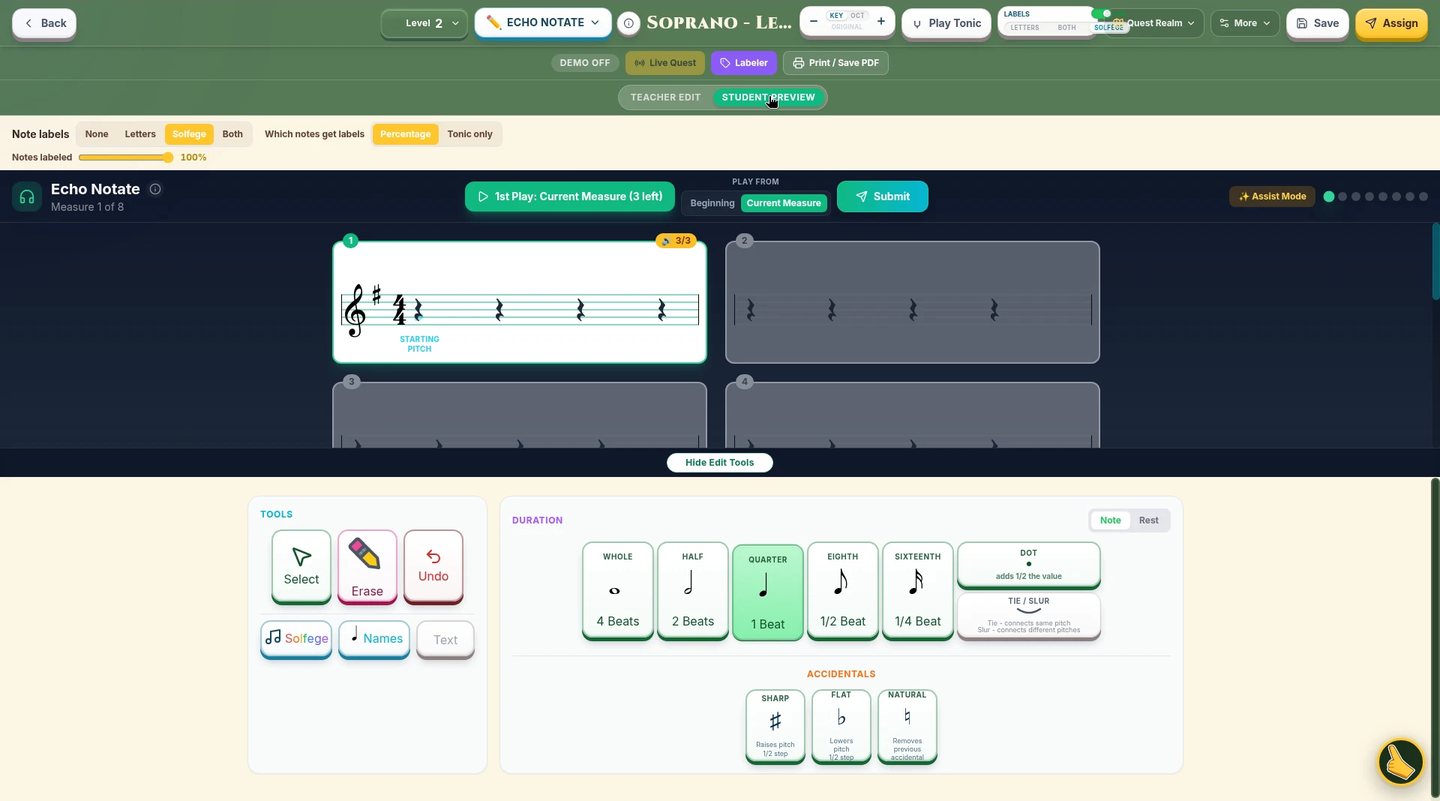
SightReadQuest brings generated sight-reading and several named tasks into one platform. In Echo Notate, the saved student preview shows Play Measure, empty measures, and note tools. A student works from a heard phrase toward notation, which is a different task from singing a line that stays visible.
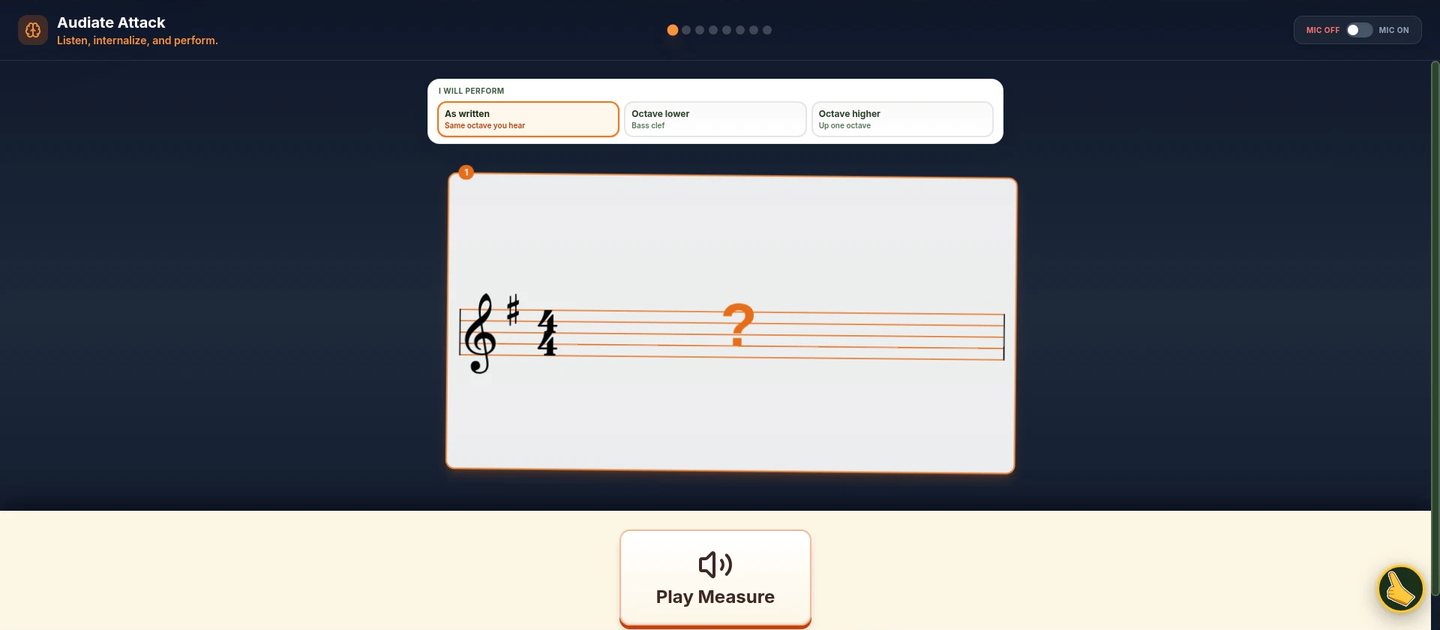
Audiate Attack is another listening-and-recall option. Flash Mode adds a visibility challenge, but the saved teacher edit view keeps the staff visible. Do not use a teacher screenshot as proof of exactly what a student sees during a timed attempt.
Shortlist SightReadQuest if these task choices fit a gap in your lesson plan. Try a simple reading activity and one listening task before adding more modes. Review current pricing, including the teacher license and any student accounts you need. For the classroom overview, see SightReadQuest for choir.
Sight Reading Factory: explore it for customized new material
Sight Reading Factory says it generates music on demand for voice, instruments, and ensembles. Its home page describes stock levels and customization of rhythms, range, leaps, accidentals, dynamics, articulations, time signatures, and major and minor keys.
It also advertises Auto Assessment with accuracy, timing, and intonation feedback, plus assignments and recordings. That makes it more than a source of printable-looking drills. Check which features and plans apply to your students and devices rather than assuming feedback exists only in one product.
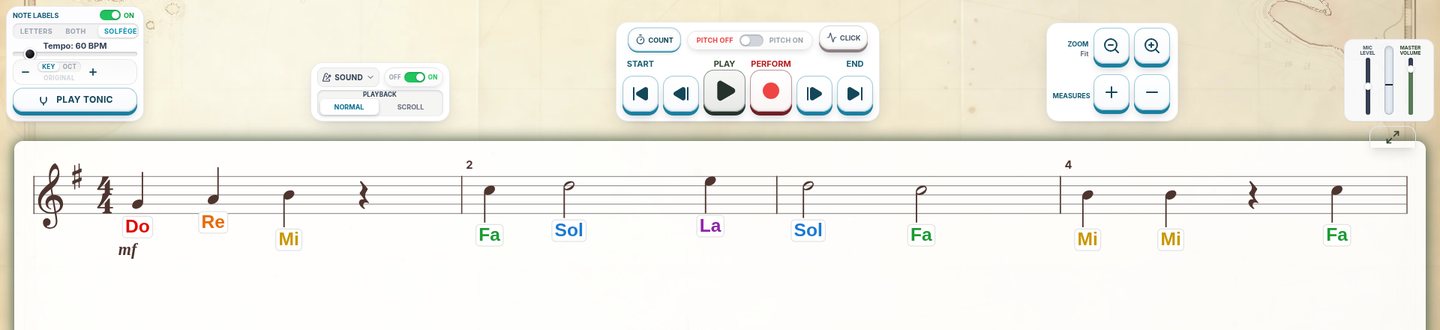
The SightReadQuest screen below illustrates the same kind of preparation question to ask of any tool: can you establish a tonal center before the first read? It does not show Sight Reading Factory. In a comparison, use the same teaching goal and let each product use its own controls.
EarMaster: explore it for a wider ear-training plan
EarMaster's official site describes ear training, sight-singing, rhythm, intervals, chords, scales, and dictation. Its sight-singing section says students can sing from scores and receive pitch and rhythm feedback. The same site points teachers to EarMaster Cloud for classrooms and institutions.
Shortlist it when sight-singing is one part of a broader ear-training plan. Check the school edition, device support, setup, and teacher review with the provider before choosing a plan. A large content list does not tell you which first task is right for a beginning choir.
SightReadQuest's Audiate Attack preview below shows one narrower listening task you could compare with your goal. Do you want students to identify a heard interval, notate a phrase, or hold a melody inwardly and reproduce it? These related skills need different instructions.
Sight Singing Pro: explore it for individual vocal feedback
Sight Singing Pro's official site says it listens to the voice, measures pitch, and gives immediate visual feedback. Its site provides global and US edition download routes. Check the correct edition and the current store listing for the devices you plan to use.
The provider also describes Sight Singing Studio for creating custom sheet music, but that is a separate product. Do not assume the features of Studio belong to Pro. Likewise, a personal practice app should not be assumed to include the class and assignment controls a school needs.
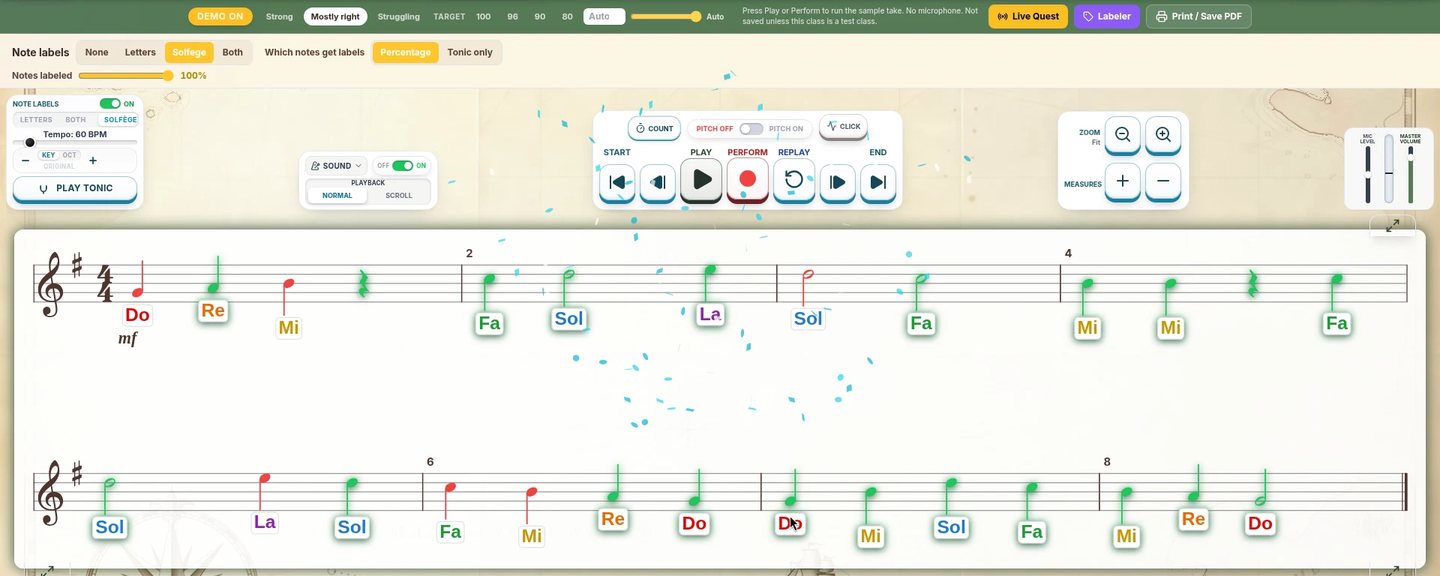
Whatever product you try, compare the feedback with your own listening. The SightReadQuest image below is a built-in simulated Demo performance. It illustrates a feedback display, not measured accuracy, a student testimonial, or a head-to-head test.
Use one trial checklist for the whole shortlist
Choose one simple reading objective, then evaluate the whole workflow. Keep a note of what worked and what needs a teacher workaround. Avoid ranking products by how entertaining one isolated screen looks.
- Musical fit: Can you choose a suitable part, clef, key, rhythm, and range?
- Independent reading: Can students study before they hear the answer?
- Useful feedback: Does the display help you name one next step?
- Teacher work: Can you assign and review the task in a way your school accepts?
- School setup: Do devices, microphone access, headphones, and data rules fit?
- Total cost: What is the current plan for the full class?
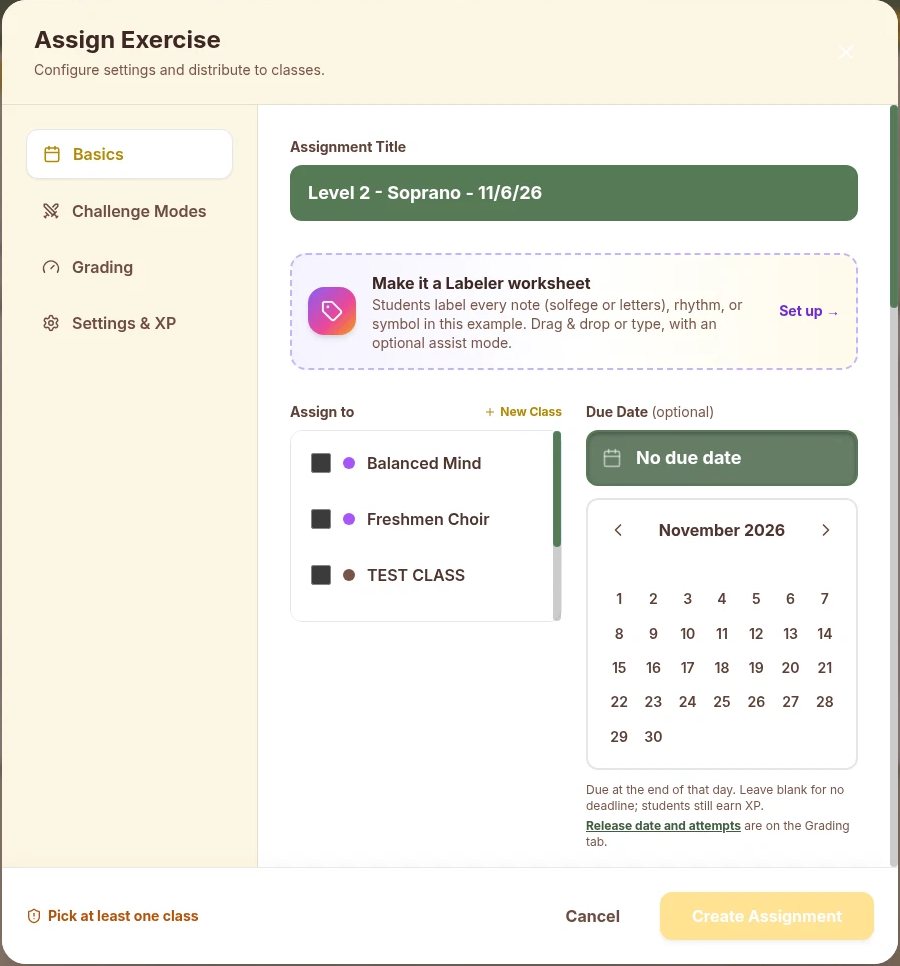
The SightReadQuest assignment dialog below is one workflow to inspect. It is not evidence about another provider's class management. A teacher can also decide that a projected class activity and occasional individual listening checks meet the need without buying another system.
Frequently asked questions
Which sight-singing app is best for middle school choir?
There is no universal winner. Compare SightReadQuest, Sight Reading Factory, EarMaster, and Sight Singing Pro against the specific reading, listening, feedback, device, and assignment needs of your choir.
For a direct feature comparison, see SightReadQuest vs Sight Reading Factory and why SightReadQuest.
Is sight-singing software a replacement for choir teaching?
No. The teacher chooses a suitable range, establishes the musical context, listens critically, and helps singers apply the skill to new music. Software can support practice and provide additional evidence.
Should we choose a personal singing app or a classroom platform?
Choose by the workflow. Individual voice feedback may meet a practice need, while class assignments and teacher review may require a school-oriented plan. Check the provider's current features and your school's requirements before choosing.