Sixteenth notes are where a lot of middle school readers first fall apart. The sound is fast, the page suddenly looks busy, and the counting gets wordy. Students who were fine with eighth notes start guessing, rushing, or freezing at every beamed group.
The good news is that sixteenths are very teachable when you take them in order: feel four even sounds in a beat, give them a name, learn to see the common shapes, read them on one line, then put them on pitch. This post walks through that sequence for band and choir as a set of short warm-ups, about two weeks of three to five minutes a day, with SightReadQuest tools for each step.
Before you start: check the beat and the eighths
Sixteenths are eighth notes split in half, so they will not be steadier than your students' eighths. Before you start, check two things: can the class keep a steady beat without a click, and can they read beamed eighth pairs with rests mixed in?
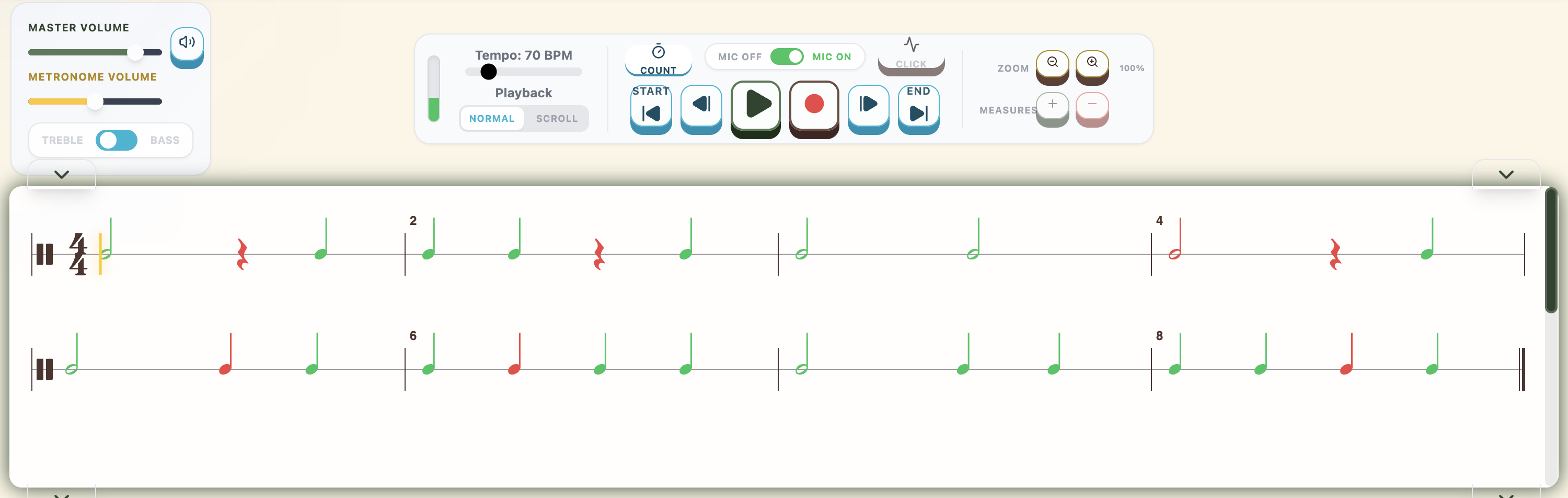
A quick way to check is a SightReadQuest Rhythm Practice exercise at Level 3, which adds beamed eighth pairs, or Level 4, which adds the dotted quarter and eighth. Students clap or tap and see right away which notes landed in time. If many students miss the eighths, spend a few more days there first. Whatever counting system you use, my comparison of rhythm counting systems shows how each one handles sixteenths, so decide your rule now.
Step 1: Feel four even sounds in each beat
Start with sound and body, not notation. Pat a steady beat on your legs and chant four even sounds in each beat on a neutral syllable. Have students echo you, then switch who keeps the beat and who chants. Word chants help here, as long as the four syllables stay even.
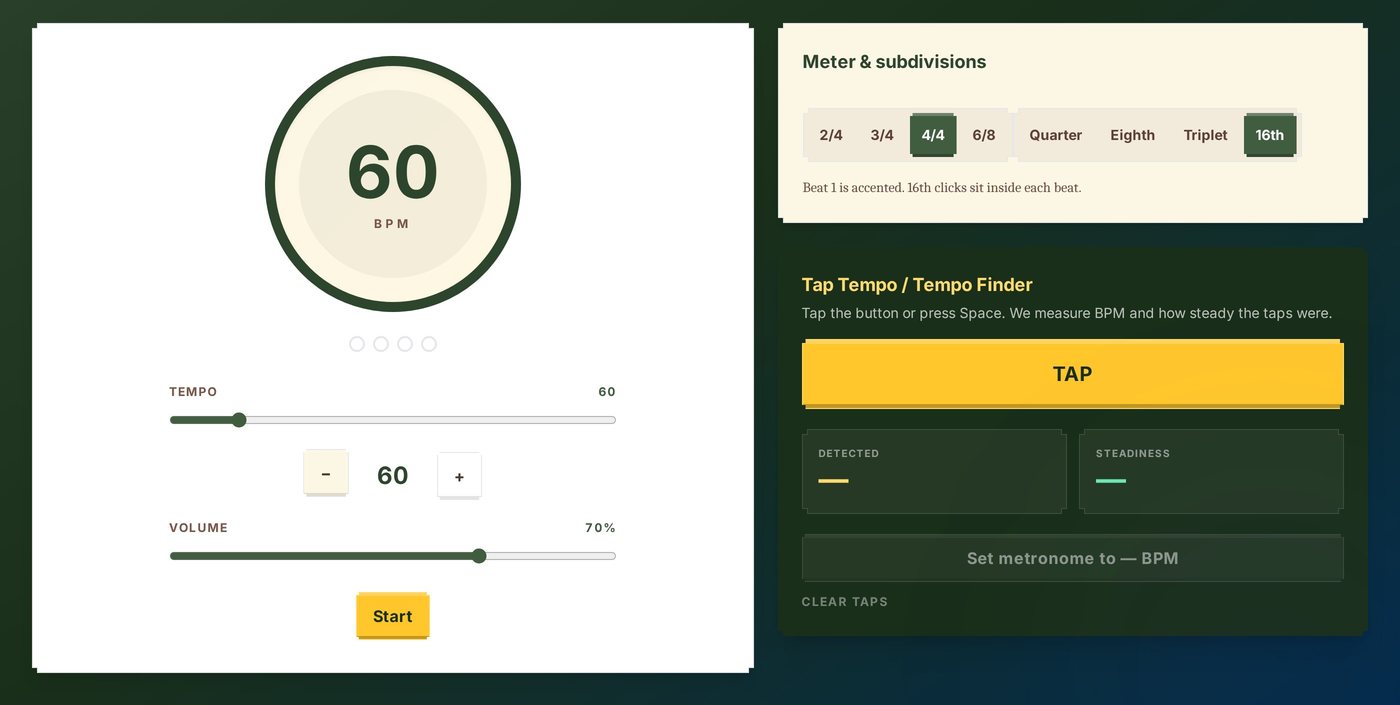
Then add a click. The Metronome on the free SightReadQuest Music Tools page opens without a login and projects well. Pick 4/4, choose the 16th subdivision, and start slow, around 60 beats per minute. Beat 1 is accented, and the sixteenth clicks sit inside each beat. After a few rounds, switch the subdivision back to Quarter and see whether the four sounds stay even without the help. The Tap Tempo finder also measures how steady a student's taps were, which makes a good quick challenge.
Step 2: Give the sound a name
Once the class can feel four sounds per beat, give them names. Use the system your program already uses and stick with it in every room:
- Numbers: 1 e and a, 2 e and a.
- Takadimi: ta ka di mi on every beat.
- Kodály-style syllables: often tiri tiri or ti ka ti ka, depending on your district.
Chant first, then clap while chanting, then clap while thinking the syllables. Band students can finger along silently while they chant, and string players can shadow-bow. For choir, chant the rhythm on syllables before adding pitch or words.
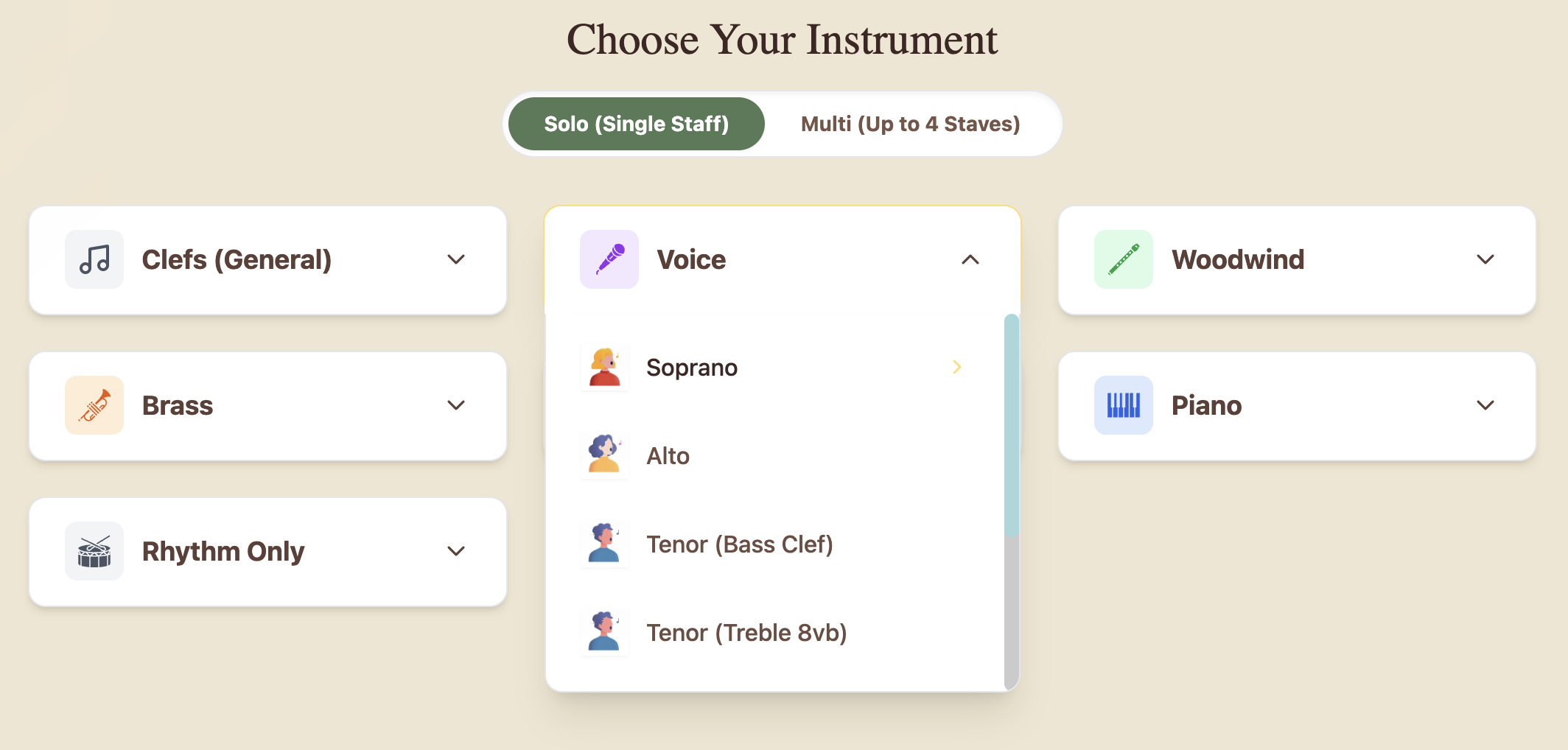
SightReadQuest does not print counts or syllables under the notes, so it never competes with your system. Students say the rhythm your way, then perform it, and the app checks the timing. To find the rhythm exercises, choose Rhythm Only on the Choose Your Instrument screen, then Rhythm Practice.
Step 3: Learn to see the three common shapes
Most middle school sixteenth patterns come from three shapes inside one beat. Teach them as shapes students recognize at a glance, one at a time:
- Four sixteenths: four even sounds, beamed with two beams.
- Eighth and two sixteenths: long, short, short. Many teachers say "straw-ber-ry."
- Two sixteenths and an eighth: short, short, long. Often said "pine-ap-ple."
Put all three on the board, chant each one, then point at random and have the class chant the shape you point to. Once students can name shapes instantly, reading speeds up.
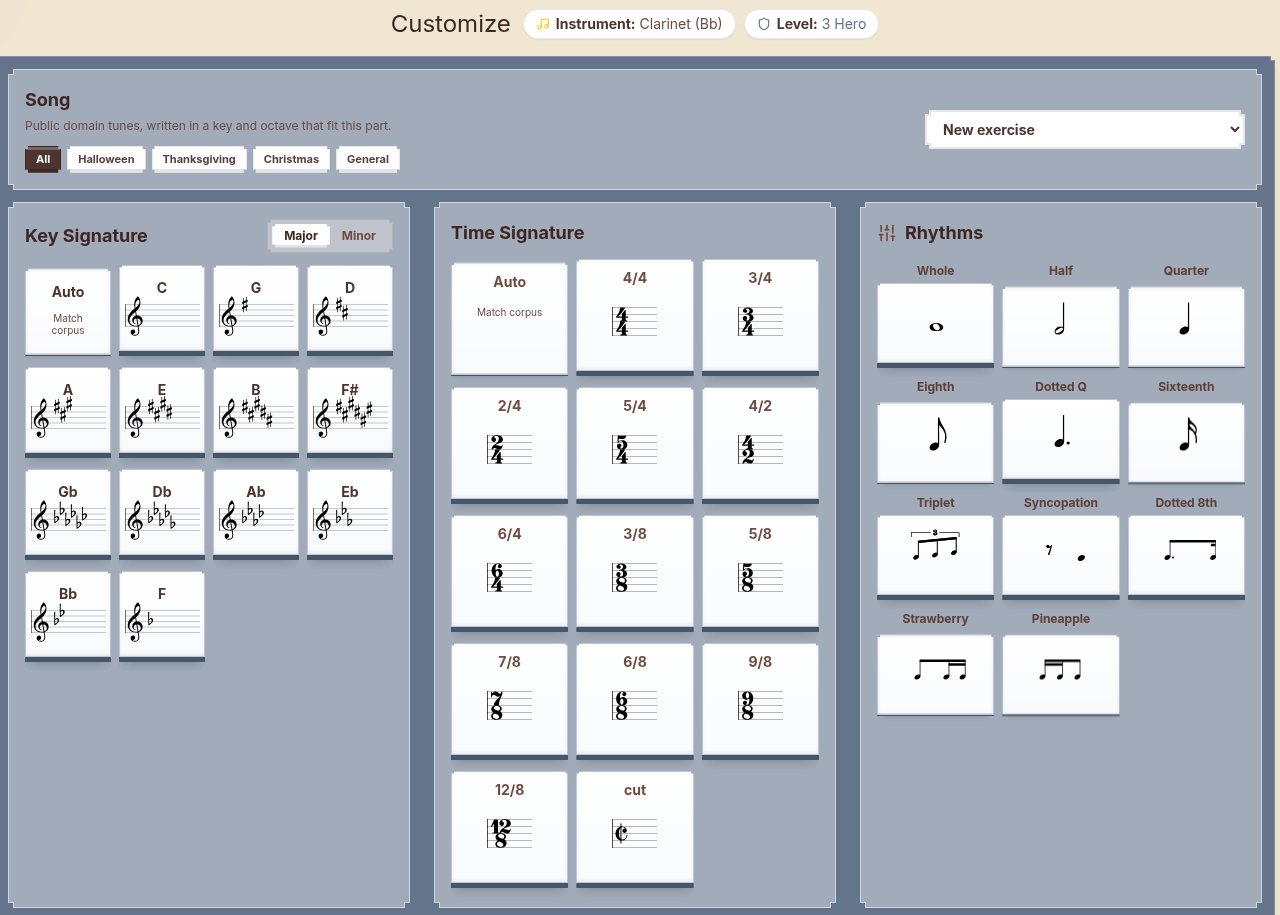
SightReadQuest's exercise generator uses the same idea. Its Rhythms panel has separate toggles for Sixteenth, Strawberry (the eighth and two sixteenths), and Pineapple (two sixteenths and an eighth), next to Dotted 8th and Triplet. Turn on one new shape at a time so the exercises practice exactly the figure you just taught. In Rhythm Practice you can set the tempo, and Regenerate gives you new material at the same level whenever you need it.
Step 4: Read sixteenths on one line
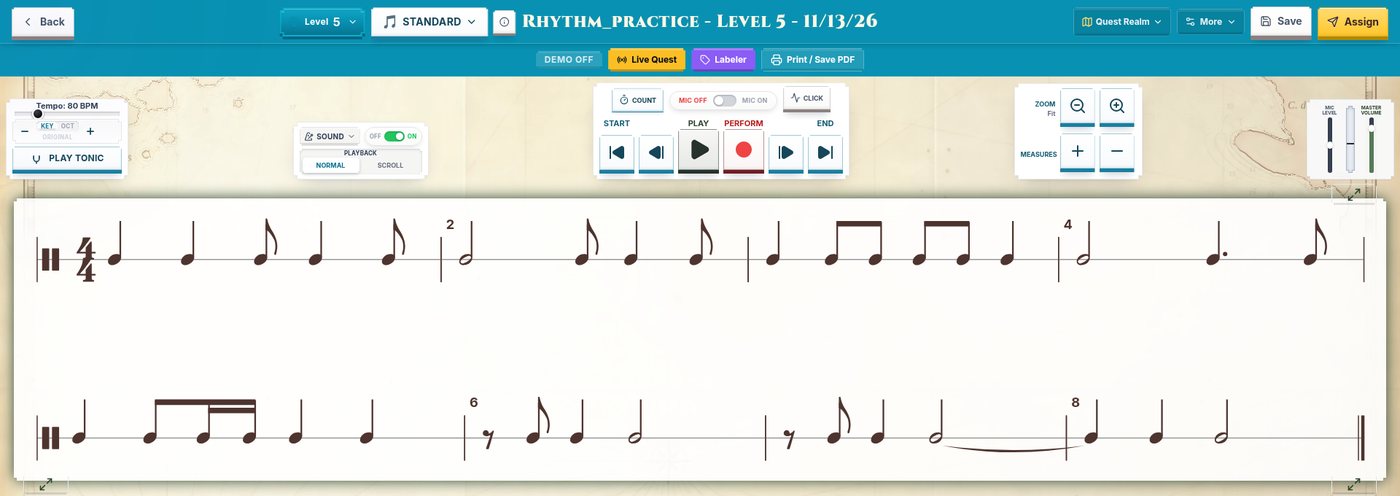
Reading rhythm on a single line removes pitch from the problem, so students can focus on the pattern. In SightReadQuest, Rhythm Practice has six levels, and each level's new figures appear in every exercise at that level. Level 5 adds syncopation, eighth rests, ties over the barline, and sixteenths, including the strawberry and pineapple shapes. Level 6 adds the dotted eighth and sixteenth, triplets, and cut time, so save it until the first three shapes are solid.
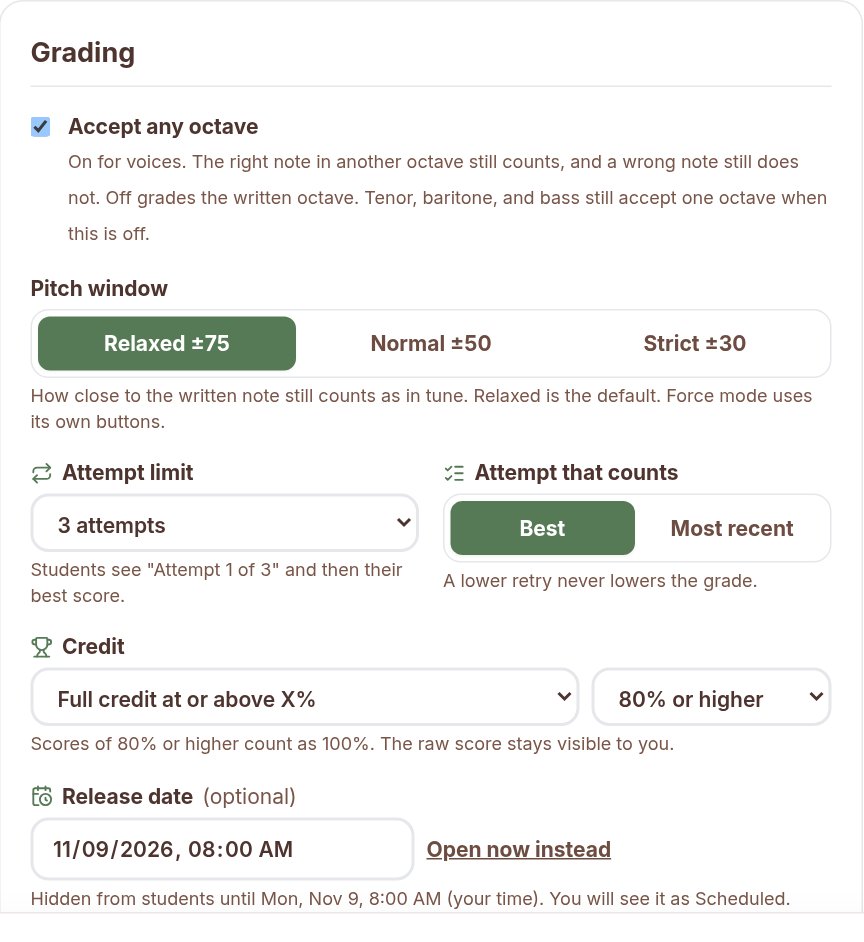
Students clap into the microphone, tap the spacebar, or use the large TAP pad on tablets. Notes they hit in time turn green and misses turn red. When you assign a rhythm exercise, you choose the input (clap, spacebar or TAP, or both) and the timing tolerance: Generous (within 400 milliseconds), Classroom (within 250), or Strict (within 120). Start the first week on Generous and a slower tempo, and tighten it as the class settles. Extra claps during rests cost points, which keeps the rests honest.

Step 5: Run whole-class rhythm rounds
Short, game-like rounds keep sixteenth practice from feeling like drill. Project one four-measure line, give fifteen seconds of silent study, count off, and read it once without stopping. Then do it again with a new line.
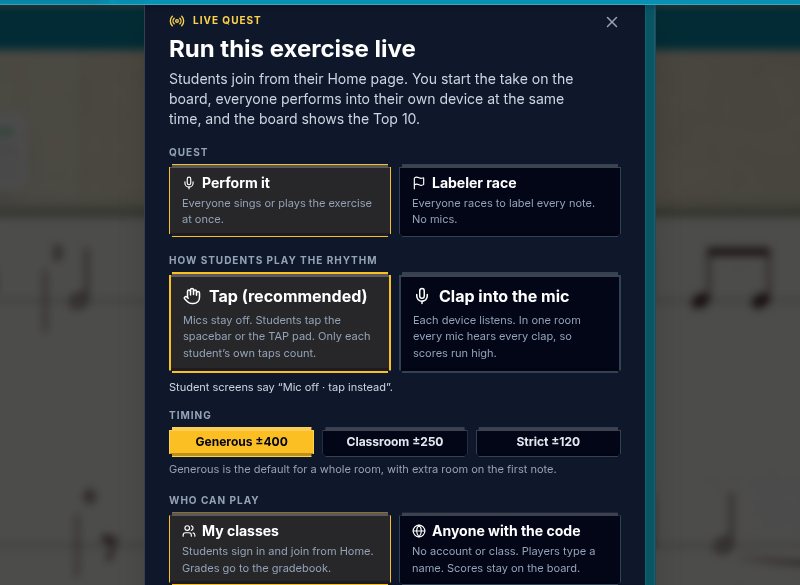
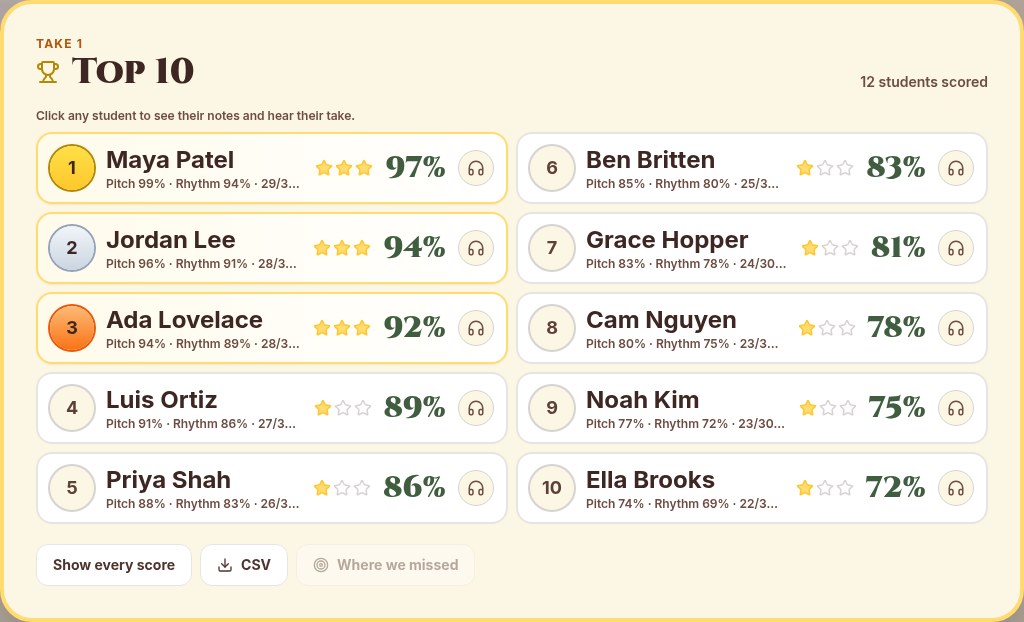
With SightReadQuest, Live Quest runs an exercise live for the whole room. Everyone performs on their own device at the same time, and the board shows the Top 10. For rhythm exercises, Tap is the recommended input: mics stay off, students tap the spacebar or the TAP pad, and only each student's own taps count. Clapping into the mic is also an option, but in one room every mic hears every clap, so scores run high. Live Quest starts rhythm rounds on Generous timing because a room tapping together is ragged, and you can switch to Classroom or Strict.
Step 6: Put sixteenths on pitch
Once students can read sixteenths on one line, add pitch with material they already know, so the new rhythm is the only new thing.
- Band: play a scale you know well with four sixteenths on each note, slow, with the metronome on 16th. Then try the strawberry and pineapple shapes on each note. Keep the air steady and the tongue light.
- Choir: sing a scale on your counting syllables, four per pitch, then switch to a neutral syllable like "doo." Add words last, since text adds its own rhythm.
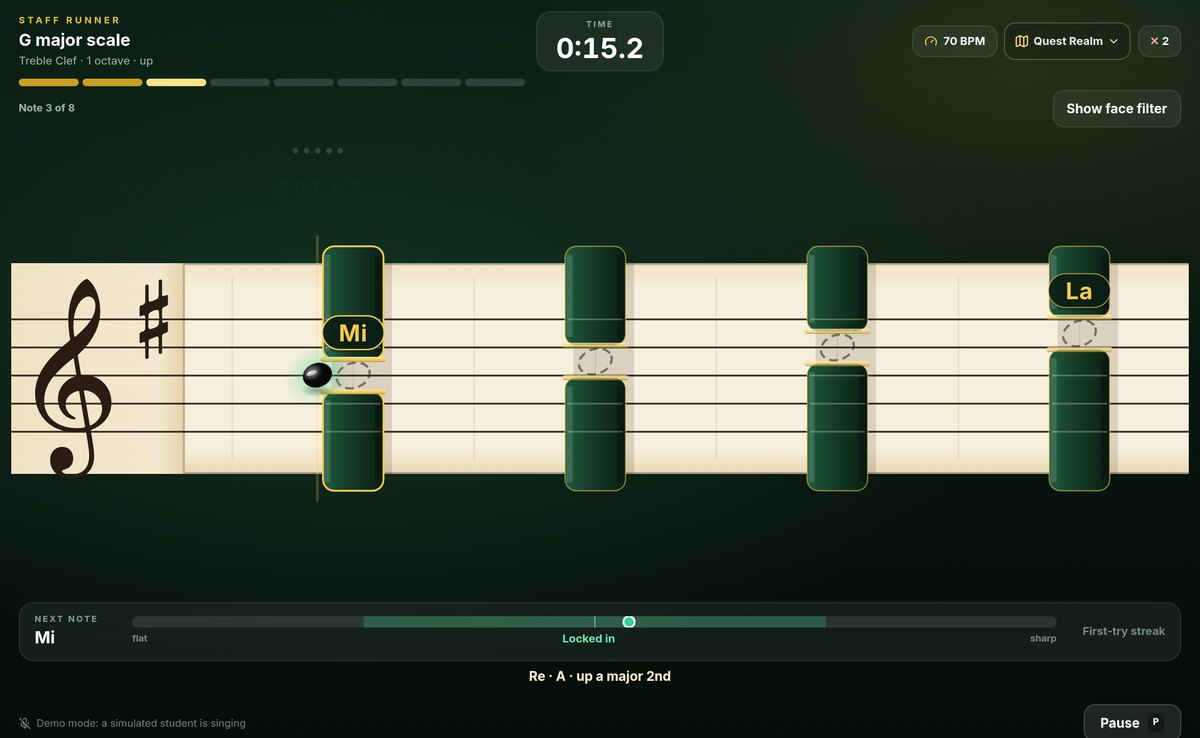
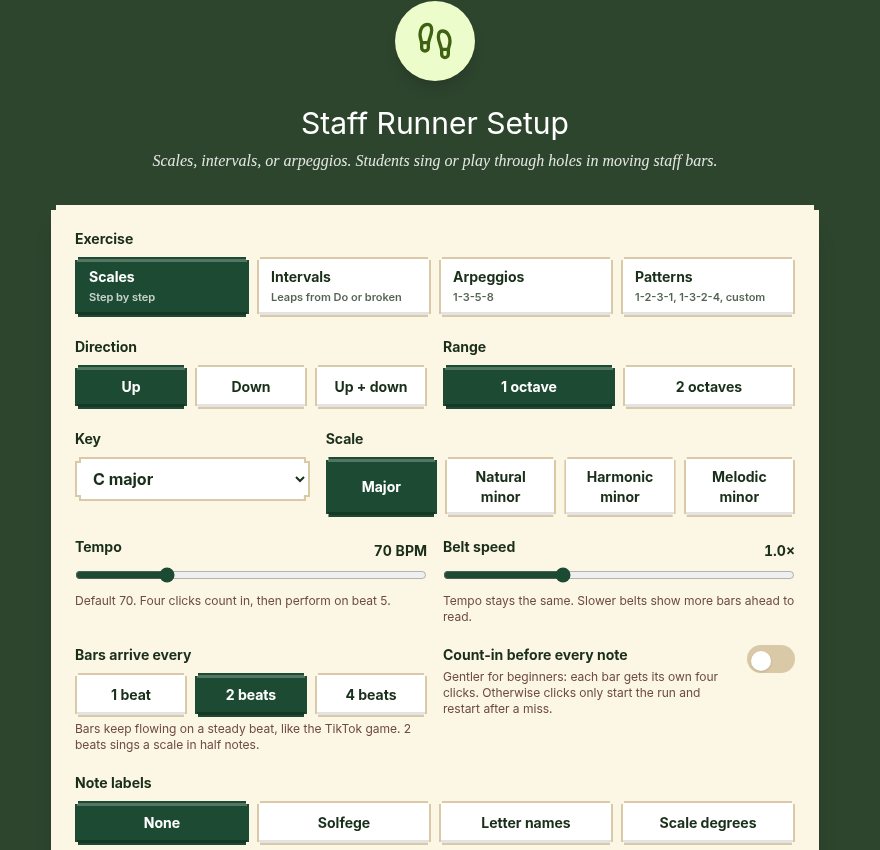
Staff Runner, a SightReadQuest game, is a good partner for this step. Students sing or play through gaps in moving staff bars while a live notehead tracks their pitch, through scales, intervals, arpeggios, or patterns at a steady tempo. You set the tempo, and bars arrive every 1, 2, or 4 beats with a click on every beat. Staff Runner checks pitch and timing on each bar, not the sixteenths themselves. Use it to lock in the scale and the pulse, then step off the game and play or sing the same scale with sixteenths against the metronome.
When you are ready for melodic reading, turn on Sixteenth, Strawberry, or Pineapple in the generator's Rhythms panel for a sung or played exercise at your students' level.
Step 7: Sight-read it and check it
The last step is a real first read with sixteenths in it. Give a short study time, read once, and listen for four things: correct note values, a steady beat through the sixteenths, rests that stay silent, and whether students keep going after a slip.
To check individual students without stopping rehearsal, assign a Rhythm Practice exercise at Level 5 in Assessment Mode, which sends a one-shot clap or spacebar performance to your gradebook. Use Classroom or Strict timing for the check. Each score comes with a recording, so when a student says "I counted it right," you can listen and hear exactly where the counting broke down. For scoring and scheduling these checks, see how to assess sight reading in rehearsal.
Common sixteenth-note problems and quick fixes
- Rushing the group. Students cram four sounds into less than a beat. Slow down, turn the 16th clicks on, and have them chant before they play.
- Uneven sixteenths. Four sixteenths turn into a gallop. Chant on one neutral syllable until all four sounds match, then go back to your counting syllables.
- Strawberry and pineapple swapped. Students play long, short, short when the page says short, short, long. Point and chant the shapes until students name them without thinking.
- Dotted eighth and sixteenth read as strawberry. They look similar. Keep the dotted eighth for later and teach it on its own.
- Rests disappear. Students clap through sixteenth or eighth rests. In SightReadQuest rhythm exercises, extra claps on rests cost points, so students hear the rest as part of the rhythm.
A two-week warm-up plan
| Days | Warm-up (3 to 5 minutes) |
|---|---|
| 1 and 2 | Pat the beat and chant four even sounds. Metronome on 16th, then on Quarter. |
| 3 and 4 | Name the sounds with your counting system. Chant, clap, then clap while thinking. |
| 5 and 6 | Learn the three shapes. Point and chant at random. |
| 7 and 8 | Read Rhythm Practice Level 5 lines on Generous timing. One Live Quest round. |
| 9 | Put sixteenths on a familiar scale, with Staff Runner for pitch and pulse. |
| 10 | A first-read check with Classroom timing, assigned so every student is heard. |
Need a daily home for this? The five-minute routines for band and choir have a rhythm step where each day of this plan fits. For more rhythm ideas, see how to teach rhythm with rhythm practice.
Students join SightReadQuest with a class code and do not need an email address. To try this sequence with one class, start the free 10-day trial, and see the pricing page for the monthly and yearly Teacher License.
Frequently Asked Questions
What is the easiest way to count sixteenth notes?
Use the system your students already know and apply it the same way every time. Numbers (1 e and a) connect to most band method books. Syllable systems like Takadimi are easy to chant quickly. Consistency matters more than which system you pick.
How do you teach sixteenth notes to beginners?
Teach the sound before the symbol. Have students feel four even sounds in a beat, name them with your counting system, learn the three common shapes, read them on a single line, and only then add pitch.
What tempo should sixteenth notes start at?
Slow enough that every student keeps four even sounds per beat. Around 60 beats per minute with the 16th subdivision clicking is a good place to start, then speed up as the class stays steady.
Should choir students count sixteenths or use syllables?
Either works if it is consistent. Many choirs chant the rhythm on syllables first, then sing it on solfege or a neutral syllable, then add the words.